
TL;DR

Prime made for students and young adults
- Fast, free delivery for dorm and study essentials
- Prime Video and Amazon Music included
- Member-only deals
A technology writer says a used Chromecast Audio, available for about $15, can add app-based music streaming to an existing stereo without buying a new network streamer. The device still works with apps that support Google Cast, but Google has discontinued it, and future compatibility or security problems may go unpatched.
A used Google Chromecast Audio can add music streaming to an existing stereo for about $15, according to an Oct. 28 XDA Developers article describing the author’s setup. The discontinued device remains useful with apps that support Google Cast, but buyers face the risk that Google may not provide future updates or fixes.
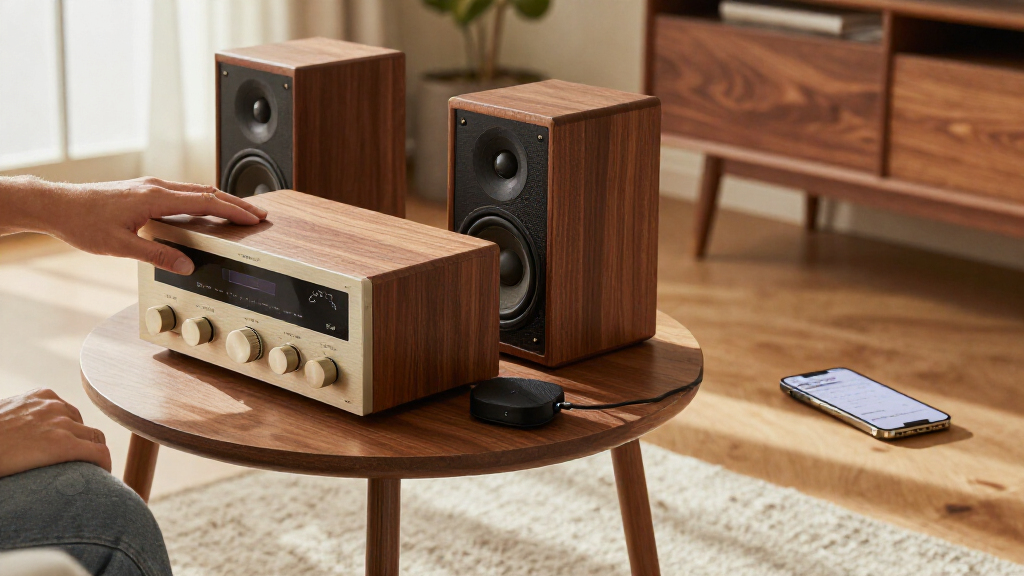
The small, discontinued puck connects to a stereo through a 3.5mm analog output or a mini-TOSLINK optical connection. The article says its AKM AK4430 DAC supports audio up to 24-bit/96kHz. A 3.5mm cable can connect it to an AUX input, or a 3.5mm-to-RCA cable can connect it to compatible RCA inputs. With an optical cable, the receiver or amplifier handles digital-to-analog conversion instead.
The author says setup involves connecting the device to power, using the Google Home app to join it to Wi-Fi, and assigning it a name. Music can then be sent from compatible apps, including YouTube Music, Spotify, Tidal, Plex and Jellyfin, when those apps show a Cast option. Unlike Bluetooth playback, the article explains, casting lets the dongle retrieve the stream directly, so the phone does not have to remain within Bluetooth range.
The article describes workarounds for services and libraries that do not offer the needed Cast function. The author uses AirCast in Home Assistant, running on a mini PC, to make the Chromecast Audio appear as an AirPlay target for Apple Music. For local music, the author runs Navidrome on the mini PC and uses the Navibeat app, which the article lists at $5.99 for a one-time purchase. These additions require extra software and hardware; they are not built-in features of the Chromecast Audio.
Budget audio · October 2026
A Used Chromecast Audio Keeps My Stereo Streaming For Just $15
A tiny, discontinued Google Cast receiver can bring app-based music to a stereo you already own. The low price is appealing; long-term support is the open question.
Reported used price
~$15
According to an XDA Developers article published October 28, 2026. Seller, condition and included accessories can change the actual price.
01 / The proposition
Keep the stereo. Add the stream.
The dongle is most compelling when your receiver or powered speaker already sounds good and only lacks network playback.
Use the input you have
Connect by 3.5 mm AUX, 3.5 mm-to-RCA, or mini-TOSLINK optical. With optical, the receiver or amplifier performs digital-to-analog conversion.
Let the app send playback
When an app offers a Cast option, the Chromecast Audio retrieves the stream over Wi-Fi. Your phone does not need to stay within Bluetooth range.
Accept a narrower promise
It can save money versus a new streamer, but it is discontinued hardware without a guarantee of future compatibility, security fixes or app support.
02 / Getting started
Four steps to first playback
Basic setup uses the Google Home app. Extra services for Apple Music or local libraries need separate software and, in the described setup, a mini PC.
Check the stereo
Confirm an AUX, RCA or optical input is available and choose the matching cable.
Power and join Wi-Fi
Connect the puck to power; use Google Home to add it to your network and name it.
Open a Cast-enabled app
Look for the Cast icon in your preferred music service, then select the device.
Test before relying on it
Play a track and check stability in the room where the stereo will be used.
| Listening source | What the article describes | Practical note |
|---|---|---|
| Spotify, YouTube Music | Cast option available | Playback depends on the app showing Cast. |
| Tidal, Plex, Jellyfin | Named as compatible examples | Check the current app and device support. |
| Apple Music | Workaround required | Author used AirCast in Home Assistant on a mini PC as an AirPlay target. |
| Local music library | Extra setup required | Author used Navidrome and Navibeat; article lists Navibeat at $5.99 one-time. |
03 / Buyer’s lens
Low cost, real support risk
Reported examples come from one author’s setup. They do not guarantee that every listing, stereo or network will behave the same way.
A useful bridge, not a modern replacement.
The article compares a roughly $15 used unit with new network streamers said to start around $100, citing the WiiM Mini. The savings make sense for listeners who need connectivity alone. Buyers seeking broad, actively supported features may prefer current hardware. Google discontinued Chromecast Audio in 2019, and future fixes or compatibility are not assured.
“Cast support lives in the apps, not the dongle.”
— XDA Developers article author“A used $15 Chromecast Audio won’t replace a WiiM Ultra.”
— XDA Developers article authorUpdates and certificates
The article reports a March 2025 certificate issue that triggered an “untrusted device” error; Google issued a firmware update for Chromecast Audio. That episode shows continued operation can depend on software support.
Wi-Fi and listing condition
There is no Ethernet port. Weak Wi-Fi can cause dropouts. Check that the power adapter and cable are included, and favor a seller that accepts returns.
Workarounds add dependencies
AirCast, Home Assistant, Navidrome and Navibeat are separate tools or services, not built-in Chromecast Audio features. Their setup and future compatibility are not guaranteed.
04 / Before you buy
Run this quick checklist
Think about your equipment, network and preferred music sources before treating the low price as a deal.
Confirm the stereo has AUX, RCA or optical input and get the right cable.
Verify power supply and cable; inspect condition and return terms.
Plan for stable Wi-Fi where the device and stereo will sit.
Confirm your music app shows Cast. Budget for extra setup if you use Apple Music or local files.
Streaming Without Replacing a Stereo
For people who already own a functioning receiver or amplifier, the device offers a way to add network playback without paying for a new streamer. The article compares the roughly $15 used price with new network streamers that, it says, start around $100, citing the WiiM Mini as an example. That price gap may appeal to listeners who need connectivity rather than new amplification or speakers.
The savings come with trade-offs. This is discontinued hardware, not a supported alternative to current streamers with a promise of ongoing updates. A buyer is relying on the device, home Wi-Fi and app-level Cast support continuing to work. The article itself notes that Google could change Cast support for older hardware, and there is no assurance that future issues will be repaired.
The device’s value also depends on what a listener already has and wants to play. It can connect to compatible audio equipment and work with Cast-enabled apps, but Apple Music and local files may require separate services or software. A buyer seeking broad, actively supported features may prefer a current streamer; the used Chromecast Audio is presented as a low-cost option for a narrower need.
Products Worth Considering
DJI Osmo Pocket 3 Vlogging Camera with 1-Inch CMOS Sensor and 4K Video

Bose QuietComfort Wireless Noise-Cancelling Over-Ear Headphones, Black

Amazon Kindle Paperwhite (12th Generation, 2024), 16 GB, 7-inch Display, Jade
As an affiliate, we earn on qualifying purchases.
A Discontinued Device Still Casts
Google discontinued Chromecast Audio in 2019, according to the source article. The product was designed to add streaming to speakers and audio systems that lacked built-in network playback. Its combination of analog and optical output lets it work with different kinds of amplifiers, though the specific cable depends on the available input.
The author reports using the device with a Marantz PM6006 amplifier through optical audio and later with a JBL Flip 4 over AUX. Those examples describe one person’s experience, not a guarantee about every stereo, speaker or network. The article also says a compatible music app can send audio from either an iPhone or an Android phone, provided the app offers a Cast option.
In March 2025, an expired intermediate certificate authority caused Chromecast Audio and Chromecast (2nd Gen) devices to show an “untrusted device” error, the article reports. Google released a firmware update for Chromecast Audio to move it to a new certificate authority. The episode is a reminder that continued operation can depend on software and certificate support, even when the hardware itself still works.
“The new-age network streamers start at $100, like the WiiM Mini.”
— The XDA Developers article’s author
Support Risks Remain for Buyers
The source does not establish that every used Chromecast Audio listing is complete, functional or available at the cited price. Prices and condition can vary by seller. The author advises buyers to check whether the listing includes a power adapter and cable and to choose a seller that accepts returns.
Google no longer maintains the hardware, the article says, so it is unclear whether any future security issue, certificate problem or compatibility break would receive a fix. The source also says the device has no Ethernet port and depends on Wi-Fi; weak coverage can cause dropouts. It does not provide a guarantee of support from streaming services or Google for any particular period.
Apple Music does not offer a Cast button in the setup described, and the AirCast workaround depends on a separate mini PC running Home Assistant. The article does not establish that this arrangement will suit every user or remain compatible indefinitely. Buyers should distinguish those workarounds from functions available directly through the dongle.
Check the Listing Before Buying
Anyone considering the device should first confirm that their stereo has a compatible AUX, RCA or optical input, then check the used listing for the required power supply and cable. A return option can reduce the risk of receiving faulty or incomplete hardware. Setup requires the Google Home app, and the device needs a stable Wi-Fi connection.
After setup, buyers can check whether their preferred music apps show a Cast icon and test playback before relying on the dongle as their main streaming method. People who use Apple Music or a local library should account for the additional software and hardware described in the article. The broader question—whether Google or third-party apps will continue supporting the discontinued device—remains unresolved.
Key Questions
What does the Chromecast Audio do?
It connects to a stereo or powered speaker and receives audio over Wi-Fi from compatible apps. It has a 3.5mm analog output that can also support a mini-TOSLINK optical connection.
How much does a used Chromecast Audio cost?
The article says used units can be found for about $15. That is an approximate price, not a guaranteed current listing price; condition and included accessories may vary.
Can it play music from Spotify or YouTube Music?
The article says Spotify and YouTube Music can send audio to the device when the app provides a Cast option. It also names Tidal, Plex and Jellyfin as compatible examples.
Does Chromecast Audio work with Apple Music?
Apple Music does not have a Cast button in the setup described. The author uses AirCast in Home Assistant on a mini PC to make the Chromecast Audio an AirPlay target, but that requires extra equipment and software.
Is it still supported by Google?
No ongoing support is promised in the source. Google discontinued the device in 2019 and no longer maintains its hardware, according to the article. A 2025 certificate problem received a firmware update, but future fixes are uncertain.
Source: XDA Developers