
TL;DR

Prime made for students and young adults
- Fast, free delivery for dorm and study essentials
- Prime Video and Amazon Music included
- Member-only deals
An XDA Developers article published Oct. 24 describes using a $200 budget to buy secondhand 4K Blu-rays, rip them with MakeMKV and organize them in Plex. It argues that repeat viewing can make discs cheaper than short-term digital rentals, but provides no itemized purchase record or calculation proving the collection has paid for itself.
XDA Developers published a first-person account on Oct. 24 describing how a $200 budget for secondhand 4K Blu-rays became a Plex library, offering a local alternative to streaming subscriptions and digital rentals. The article argues repeated viewing can improve the cost per movie, but it does not provide receipts, a list of titles or a calculation showing that this particular collection has already paid for itself.
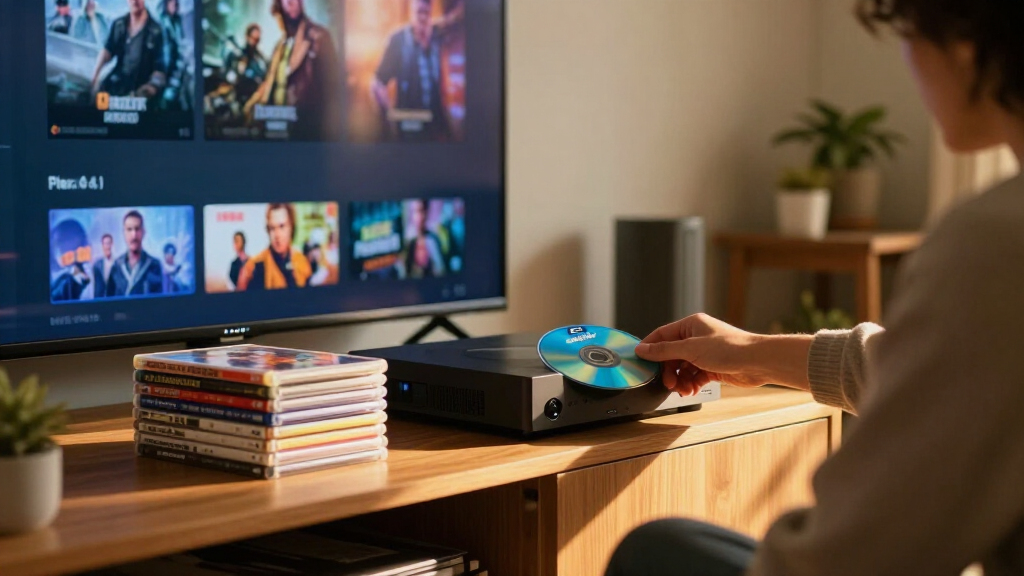
The account describes buying used discs from thrift stores, pawn shops and clearance bins, then using an Ultra HD-compatible Blu-ray drive and MakeMKV to copy movie files to a home server. Plex can scan the files and present them in a browsable personal library. The source says secondhand 4K discs may cost about $5 to $8 each, compared with new releases priced around $25 to $30, and estimates that $200 could buy roughly 20 to 30 movies. Those figures are presented as general estimates, not a documented inventory of the author’s purchases.
The proposed library preserves the disc’s video and audio streams in a remuxed MKV file, according to the article. That differs from a typical streaming copy, which is compressed to reduce bandwidth. The source gives a broad estimate of 15 to 25 Mbps for 4K streaming video and 60 Mbps to more than 100 Mbps for 4K Blu-ray, while noting that disc audio can include lossless formats. Actual quality varies by movie, service, title encoding, playback equipment and network conditions.
The article also identifies costs and practical steps beyond the disc budget. It says an Ultra HD-capable drive may cost around $100 upfront, and advises checking used discs for damage and confirming drive compatibility. It names MakeMKV as the ripping software and Plex as the library interface, but does not give a complete cost accounting for the server, storage, electricity or software and hardware setup.
HOME MEDIA • COST CHECK • OCTOBER 24, 2026
From $200 in Thrift-Store 4K Discs to a Plex Library
XDA Developers describes turning secondhand movies into a browsable local collection. Repeated viewing could improve the cost per watch, but the article does not document a verified payback.
Described as a budget for used 4K Blu-rays.
No receipts, title inventory, or avoided-rental calculation is provided.
Per movie, according to the article
Approximate count for a $200 disc budget
Ultra HD-compatible drive, separate cost
Short-term access; prices and terms vary
01 / THE TRADE-OFF
Access now, or ownership over time?
The value depends on what gets watched, how often it is replayed, and which setup costs are counted.
Buy once
A physical disc can be watched again, subject to its condition and compatible playback equipment.
Pay per window
The article cites rentals around $4–$6 with access that may last 48 hours. Actual prices and terms vary.
Catalogs can shift
Subscriptions offer broad access, but titles can rotate out. A local library needs storage and upkeep.
02 / THE COST MATH
A break-even story needs a full ledger
The article gives price ranges, but no purchase record or calculation that shows this collection earned back its cost.
Illustrative prices cited in the article
Relative bar lengths compare the low ends of the cited ranges. These are general estimates, not a price survey or a record of purchases.
03 / THE WORKFLOW
From a shop shelf to a personal library
The account outlines a practical sequence, while leaving actual disc count, storage needs, and setup time unreported.
Shop secondhand
Look at thrift stores, pawn shops, and clearance bins. Inspect used discs for damage.
Confirm the drive
Verify Ultra HD Blu-ray compatibility before investing in a drive or starting a collection.
Use MakeMKV
Create remuxed MKV files. Selecting only needed audio tracks may reduce storage use.
Browse with Plex
Store files on a computer or home server for a browsable personal media library.
04 / IMAGE & SOUND
Higher bitrates can mean larger files
A disc remux can preserve the disc’s original video and audio streams. Streaming versions are compressed for delivery over networks.
Reported video bitrate ranges
Broad estimates from the article. Results vary by movie, encoding, service, equipment, and network. Disc audio may include lossless formats.
“Spending a flat $200 budget entirely on thrifted 4K discs”XDA Developers article
05 / MAKE THE CLAIM TESTABLE
Track the costs, then compare real use
A repeat-viewing habit may lower the effective cost per watch. A simple record would show whether it happens in practice.
Build the full total
Record discs, compatible drive, storage, server hardware, electricity, and any other setup expenses.
Log what gets replayed
Keep a title list and viewing history. Note rentals or subscriptions actually replaced, with prices paid.
Calculate the outcome
Compare documented spending with documented alternatives avoided. The source reports no follow-up measurement.
The article does not analyze copyright or anti-circumvention rules. Requirements vary by jurisdiction; the described workflow is not legal advice.
06 / QUICK QUESTIONS
What the account does—and does not—establish
Did the $200 collection demonstrably pay for itself?
The source does not show that it did. It gives no receipts, payback period, or accounting of rentals avoided.
How many discs might $200 buy?
The article estimates roughly 20–30 at about $5–$8 each. Actual prices and availability vary by shop, place, and title.
What does the setup use?
An Ultra HD-compatible Blu-ray drive, computer or home server, storage, MakeMKV, and Plex. The drive estimate is around $100, apart from the disc budget.
Does the article explain whether copying discs is legal?
No. It describes personal media use but does not analyze copyright or anti-circumvention laws. Rules vary by jurisdiction.
The Real Cost of a Local Library
The central trade-off is between temporary access and repeated use. A rental generally grants viewing access for a limited period, while a physical disc can be watched again, subject to its condition and the owner having compatible equipment. A local copy can also keep a title available when a streaming service changes its catalog, although a personal Plex library requires storage, maintenance and a home network.
That makes the math dependent on individual habits. A viewer who replays films, shares access within a household or finds discs cheaply may lower the effective cost per viewing. Someone who watches each movie once, buys a drive and server hardware solely for this purpose, or cannot find desired titles secondhand may not save money. The article’s claim that the setup “pays for itself” is an argument about potential savings, not a verified financial outcome supported by a disclosed comparison.
There is also a quality and ownership distinction. Disc-based files can retain higher-bitrate video and lossless audio than many streaming versions, according to the source, but that advantage requires suitable playback equipment and substantial storage. Owning a disc is different from owning every right associated with a movie; the source focuses on personal use and does not discuss the legal rules that may apply to copying discs in different jurisdictions.
UHD 4K Blu-ray drive compatible with MakeMKV
As an affiliate, we earn on qualifying purchases.
As an affiliate, we earn on qualifying purchases.
From Used Discs to Plex
The source frames the account against the cost and changing availability of subscription streaming and short-term digital rentals. It says rentals can cost $4 to $6 and may provide access for 48 hours, while subscriptions can rotate films in and out. Those are broad descriptions in the article, not a price survey tied to a specific service, country or date. Rental terms and prices vary by platform and title.
The suggested process is to look for used discs, inspect their condition, check that a drive can read Ultra HD Blu-rays, and use MakeMKV to create files for a Plex server. The article says selecting only needed audio tracks can reduce storage use. It does not report how many discs were actually acquired, how much storage the library required, or how long the setup took.
““Spending a flat $200 budget entirely on thrifted 4K discs””
— XDA Developers article
What the Savings Claim Leaves Out
The source does not show whether the author completed the described purchases or provide an itemized collection, total spending or a calculation of rentals avoided. The headline’s suggestion that the library “paid” is not backed by a stated payback period. It is also unclear whether the $200 figure covers only discs or any part of the drive, server and storage costs.
Used-disc availability and prices can differ widely by location and title. The article’s bitrate ranges are general estimates and do not establish the quality difference for every movie. It also does not address licensing or local rules around copying protected discs, so readers should not treat the described workflow as legal advice.
The Payback Depends on Use
The next step for anyone testing the idea is to track the full setup cost, including discs, compatible drive, storage and server hardware, then compare it with the rentals or subscriptions actually replaced. A title list and repeat-viewing history would make the claimed per-movie savings easier to assess. The source reports no follow-up measurement, so whether this collection has paid for itself remains unverified.
Key Questions
Did the $200 collection demonstrably pay for itself?
The source does not show that it did. It gives a first-person premise and argues that repeated viewing can lower the cost per movie, but supplies no receipts, payback period or accounting of avoided rentals.
How many used 4K Blu-rays might $200 buy?
The article estimates about 20 to 30 discs at roughly $5 to $8 each. Actual prices and availability depend on the shop, location and titles being sought.
What equipment does the described setup use?
The process calls for an Ultra HD-compatible Blu-ray drive, a computer or home server, storage, MakeMKV for creating MKV files and Plex to organize and play the library. The article estimates a drive may cost around $100, separate from the disc budget.
Does a Plex copy use less-compressed video than streaming?
A disc remux can preserve the disc’s original video and audio streams, while streaming services compress files to deliver them over networks. The article gives general bitrate ranges; results vary by title, service, playback setup and network.
Does the article explain whether copying discs is legal?
No. It describes a personal-media workflow but does not analyze copyright or anti-circumvention laws. Rules differ by jurisdiction, so the article should not be read as legal advice.
Source: XDA Developers
Halloween Picks
halloween
As an affiliate, we earn on qualifying purchases.