
TL;DR

Prime made for students and young adults
- Fast, free delivery for dorm and study essentials
- Prime Video and Amazon Music included
- Member-only deals
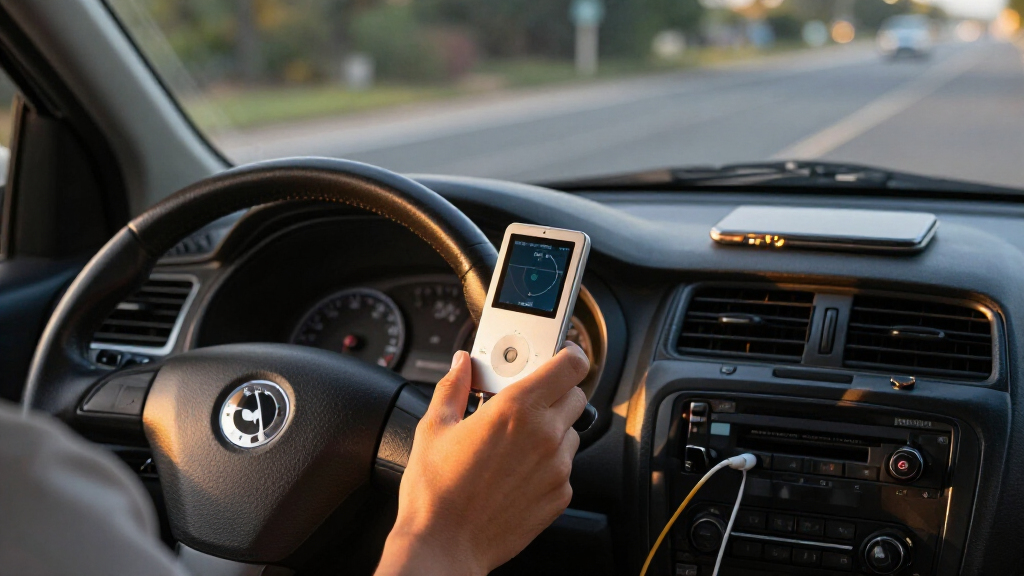
An XDA Developers contributor says he now prefers a 20-year-old iPod Video for daily driving over Android Auto and streaming. Its offline, curated library avoids data use and phone alerts, but playback through a car’s USB port depends on support for Apple’s older iPod protocol.
An XDA Developers contributor says he prefers a 20-year-old iPod Video to Android Auto and streaming apps for daily driving, arguing that a dedicated offline music library is simpler and less prone to phone interruptions. His experience highlights a trade-off for drivers: streaming offers convenience and discovery, while a prepared music collection can work without mobile data or notifications, if the car can connect to the player. This also relates to listening to FLAC in Android Auto without using data.
The writer says he initially expected using the iPod in the car to feel mainly nostalgic and inconvenient, but found he preferred it for everyday trips. His library is stored on the device, so playback does not depend on a mobile connection, subscription or streaming data. He says that matters on expressway drives where cellular service can be inconsistent and streaming can use up a data allowance, particularly when listening to lossless audio.
The setup also changes what drivers hear and how they control it. The writer describes his collection as curated around music he already likes, including Rush, Phish and Grateful Dead bootlegs, rather than recommendations from streaming services. He says calls and text alerts do not interrupt playback in the same way as music playing through a connected phone. That is his account of his own setup, not a guarantee that every car or configuration will behave identically.
Connecting an older iPod is not universal. The writer says his Ford recognizes the iPod over USB and can show track information and let him browse the library through the car’s infotainment system. His Mercedes does not support that connection, illustrating that compatibility varies. A car with a 3.5mm audio input can use an analog cable as an alternative, though that method may not provide the same on-screen browsing or track information.
A 20-year-old iPod for daily drives without streaming
An XDA Developers contributor prefers an offline iPod Video in his car for a curated library and fewer phone interruptions. Whether it works depends on the car’s connection support.
Why he prefers it
His music is stored on the device, so playback does not rely on mobile data or streaming.
Ready-to-play library
A curated collection works where cellular service is inconsistent.
Less phone interruption
In his setup, calls and texts do not interrupt playback in the same way as phone-based music.
Less discovery
Maintaining a library takes effort and does not offer streaming’s easy access to new music and recommendations.
Check how the car connects
A USB port alone does not mean the car will recognize an older iPod.
| Connection | What it can provide | What to check |
|---|---|---|
| USB with Made for iPod support | Playback, track details and library browsing may work through the car system. | Confirm support in the manual or infotainment settings. |
| 3.5mm audio input | Audio through a cable; screen browsing and track details may not be available. | Check for an input and a compatible dock-connector cable. |
One owner’s experience
- The writer’s Ford connects over USB.
- It can show track information and browse the library.
- The writer’s Mercedes does not support that connection.
- The account does not identify either car’s model or system.
A Quieter Way to Listen on Drives
The appeal is practical rather than a claim that the iPod is a better music player for everyone. For drivers who already own a music collection and want fewer reasons to interact with a phone, a separate player can reduce dependence on mobile data, streaming services and phone alerts. It also offers a consistent library in areas where reception drops out.
There are costs to that simplicity. The writer acknowledges that building and maintaining a curated library takes effort, and a stored collection will not offer the same easy access to new releases or recommendations as streaming. The approach is most relevant to people with established listening habits who value offline playback and predictable control over discovery and an all-in-one phone interface.
Products Worth Considering

Bose SoundLink Flex Bluetooth Speaker (2nd Gen) – Portable Outdoor Speaker with Hi‑Fi Audio, Waterproof and Dustproof, USB‑C, Up to 12 Hours

Apple MacBook Air 15-inch with M5 chip, 24GB RAM, 512GB SSD, Midnight

Apple AirPods Pro 3 Wireless Earbuds with Active Noise Cancellation
As an affiliate, we earn on qualifying purchases.
The Hardware and Car Compatibility
The iPod Video discussed in the article is an older Apple player with a 30-pin dock connector, rather than modern Bluetooth or USB-C. Its age does not by itself prevent car use, but the available connection depends on what the vehicle supports. According to the writer, some infotainment systems can recognize an iPod through USB using Apple’s Made for iPod standard, while others cannot.
Where direct USB playback is supported, the vehicle may display track details and provide library browsing through its own screen. If it is not, a 3.5mm input and audio cable can carry sound from the player. The account does not establish how many current vehicles support either option, and owners should check their car’s equipment before relying on the arrangement.
““When I first switched over, I expected it to feel slightly nostalgic and a bit annoying, but I didn’t expect to end up preferring it for my daily driving.””
— The XDA Developers contributor
Which Cars Still Recognize an iPod
The account does not identify the Ford or Mercedes models, model years or infotainment versions, so it cannot show which specific cars support direct iPod playback. It also does not provide a broader compatibility survey. Drivers should not assume that a modern USB port will recognize an iPod just because it can charge other devices.
The benefits described are based on one contributor’s use. Whether calls or alerts interrupt audio can depend on how a player is connected and how a car’s system handles its inputs. The article does not compare sound quality against Android Auto or streaming services, nor does it quantify data savings. The claim that the library is in lossless quality refers to the writer’s collection, not to every iPod or music library.
Check the Connection Before Driving
For anyone considering the same setup, the immediate step is to check the vehicle manual or infotainment settings for Apple iPod or Made for iPod USB support. If direct recognition is unavailable, a 3.5mm input may work with an audio cable. Owners will also need a compatible cable for the iPod’s dock connector and a music library already loaded on the device.
The XDA article does not announce a product launch or broader change in car technology; it is a personal account published Nov. 4, 2026. The practical question for readers is whether their particular car supports the connection and whether maintaining an offline library suits their listening habits. Without those details, the iPod remains a workable option for some setups, not a universal replacement for Android Auto.
Key Questions
Why does the writer prefer an iPod to Android Auto in the car?
He says the iPod plays a curated library stored on the device, without streaming data, a subscription or phone alerts interrupting playback in his setup.
Will a modern car play music from an iPod Classic over USB?
Not necessarily. The writer says USB playback depends on whether the car supports Apple’s older Made for iPod standard; a USB port alone does not establish compatibility.
What can I do if the car does not recognize the iPod over USB?
If the vehicle has a 3.5mm audio input, an audio cable can connect it to the iPod. That provides sound, though it may not offer infotainment-screen browsing or track information.
Does an iPod remove the need for an internet connection?
For music already stored on the device, playback does not require streaming or mobile data. Adding or updating music still requires access to a compatible music library and a way to transfer tracks to the player.
Is an iPod better for every driver?
No. The writer’s case is strongest for people with a well-established music collection who value offline listening and fewer phone interruptions. Streaming may suit drivers who prioritize discovery and on-demand access to a broad catalog.
Source: XDA Developers