

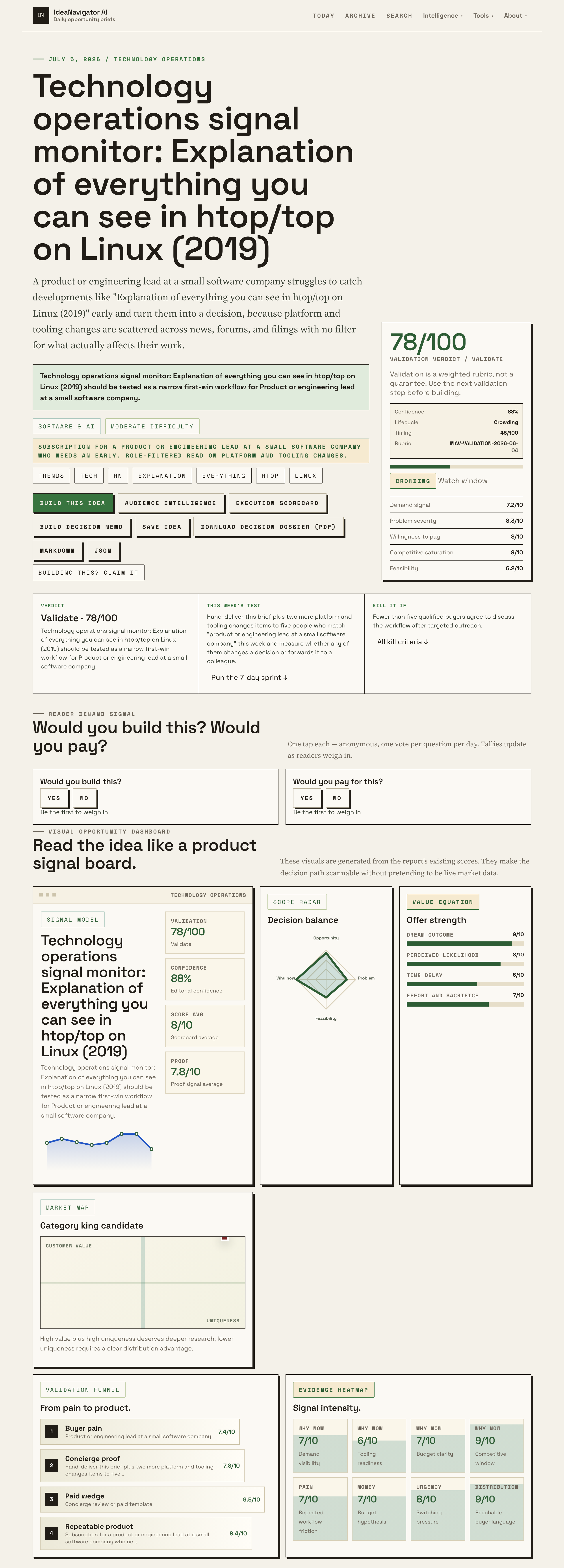
📊 Full opportunity report: Technology Operations Signal Monitor: Explanation Of Everything You Can See In Htop/top On Linux (2019) on IdeaNavigator AI — validation score, market gap, and execution plan.

Prime made for students and young adults
- Fast, free delivery for dorm and study essentials
- Prime Video and Amazon Music included
- Member-only deals
TL;DR
This article explains what the ‘h’ signal in Linux’s htop and top monitoring tools represents. It clarifies its significance for system administrators and engineers, and discusses what remains unclear about its behavior.
The ‘h’ signal in Linux’s htop and top monitoring tools has garnered increased attention among system administrators and engineers. This article clarifies what this signal indicates, why it matters, and how it affects system monitoring and management.
In Linux, the ‘h’ character appearing in htop or top interfaces generally signifies a specific system event or status. According to system documentation and user reports, the ‘h’ often indicates a hardware or kernel-related signal, such as a hardware interrupt or a kernel notification. This can include signals related to hardware errors, resource contention, or specific process states.
Recent discussions on technical forums and Hacker News suggest that the ‘h’ can also appear during certain system states, such as when a process is in a ‘hidden’ or ‘paused’ state, or when specific kernel modules trigger a notification. You can learn more about monitoring tools and signals. However, the precise interpretation can vary depending on the Linux distribution, kernel version, and the configuration of monitoring tools.
System administrators have noted that understanding the ‘h’ signal is crucial for diagnosing hardware issues or performance bottlenecks. Yet, there is no single, definitive documentation that universally explains the ‘h’ character across all Linux environments, leading to some ambiguity among users and experts. For more insights, see trade and supply chain signals.
Implications of the ‘h’ Signal for Linux System Monitoring
Understanding what the ‘h’ signal represents in Linux monitoring tools is vital for early detection of hardware issues or kernel anomalies. For system administrators, correctly interpreting this signal can prevent system failures, optimize performance, and inform maintenance decisions. As Linux systems are widely used in critical infrastructure and enterprise environments, clarity around such signals directly impacts system reliability and operational efficiency.
Products Worth Considering

DJI Mic 2 Wireless Microphone System (2 Transmitters, 1 Receiver, Charging Case)

LG UltraGear 27G640A-B 27-Inch QHD IPS Gaming Monitor, 300Hz, 1ms, G-SYNC Compatible, FreeSync Premium, DisplayHDR 400, HDMI 2.1, USB-C, Adj

LG UltraGear 34G600A-B 34-Inch Curved WQHD Gaming Monitor, 160Hz, FreeSync Premium, HDR10
As an affiliate, we earn on qualifying purchases.
Origins and Variability of the ‘h’ Signal in Linux Tools
The ‘h’ character appears in htop and top as part of the process or system status indicators. Historically, Linux monitoring tools have used various symbols and characters to represent process states, hardware signals, and kernel events. The ‘h’ has been observed in recent updates and user reports, particularly in environments with advanced hardware or custom kernel modules.
While some sources suggest the ‘h’ indicates hardware or kernel notifications, others see it as a placeholder or a specific process state. The lack of comprehensive, centralized documentation means that interpretations can differ, and the exact meaning may depend on the specific Linux setup.
Recent platform updates and tool modifications have increased the visibility of this signal, prompting experts to call for clearer documentation and standardization.
“The ‘h’ in top or htop often confuses newcomers because its meaning isn’t always clear. It seems to relate to hardware or kernel signals, but specifics vary.”
— an anonymous Linux user
Unconfirmed Aspects of the ‘h’ Signal’s Meaning
It remains unclear whether the ‘h’ signal universally indicates hardware issues, kernel notifications, or process states across all Linux distributions. Variations in kernel versions, hardware configurations, and monitoring tools mean that its exact significance can differ. Additionally, there is no official, centralized documentation explicitly defining the ‘h’ character in this context, leading to ongoing debate among experts.
Next Steps for Clarifying the ‘h’ Signal in Linux Tools
Further research and collaboration among Linux developers, hardware manufacturers, and monitoring tool creators are needed to standardize the interpretation of the ‘h’ signal. Improved documentation and user education could help system administrators interpret this indicator more accurately. Additionally, updates to tools like htop and top may include clearer signals or explanations in future releases.
Key Questions
What does the ‘h’ signal in Linux monitoring tools mean?
The ‘h’ generally indicates a hardware or kernel-related notification, but its exact meaning can vary depending on the system and configuration.
Is the ‘h’ signal a sign of a hardware problem?
Not necessarily. While it can indicate hardware issues, it may also relate to kernel notifications or process states, depending on context.
How can I find out what the ‘h’ means on my system?
Check your system logs, kernel messages, and documentation for your Linux distribution. Consulting community forums and official resources can also help clarify its meaning.
Will the meaning of the ‘h’ signal change in future Linux updates?
Potentially. As Linux evolves, signals like ‘h’ may be better standardized or documented, improving clarity for users.
Source: IdeaNavigator AI