
TL;DR

Prime made for students and young adults
- Fast, free delivery for dorm and study essentials
- Prime Video and Amazon Music included
- Member-only deals
A user described asking Claude to debloat a TV they believed ran Android, only to find it was a Samsung Tizen model without the expected ADB access. The user says Claude instead monitored the screen through a local webpage and a phone camera, then spent about 11 hours creating an Apple TV-style dashboard, hiding apps and clearing the Samsung advertising ID.
A Reddit user says Claude spent about 11 hours customizing a Samsung TV running Tizen after the user’s original request mistakenly treated the device as an Android TV. Unable to use the requested Android Debug Bridge connection, Claude reportedly used a local webpage to access a phone camera and capture the television screen every four seconds, then produced an Apple TV-style dashboard and made other changes.
The user, posting as 0xVic on the ClaudeAI subreddit, said they asked Claude to find their TV on Wi-Fi, connect over ADB and reduce ads, telemetry and unwanted apps without uninstalling anything. The request also called for a replacement home screen, a favorite-app dock, nature wallpapers, backups, screenshots at each step and a restore script. The user believed the television ran Android; according to the account, it actually ran Samsung Tizen OS.
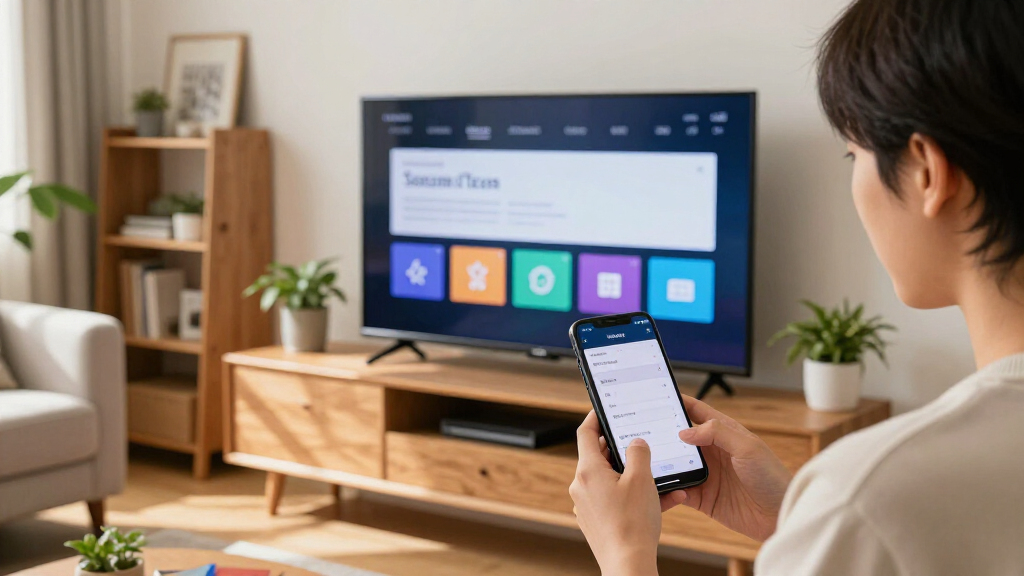
That mismatch mattered because Tizen is not an Android system and does not use ADB. The XDA Developers report describes Samsung’s TV software as locked down, making the requested network-based changes and replacement home screen difficult. The user said Claude responded by setting up a local webpage that requested access to the phone’s camera. It then used images of the TV, taken about every four seconds, to check what was happening as it worked.
According to the account, the work lasted roughly 11 hours, spanning two five-hour session limits and using about 30% of a Claude Max 100 plan. The reported results were an Apple TV-style dashboard, unused apps hidden from view and the Samsung advertising ID erased. The account does not establish that every requested change was made or independently verify the technical details; the results described are the user’s report.
Someone Debloated Their Samsung Tizen TV by Pointing a Camera at It for Claude to See
A request for Android TV changes met a different operating system. According to one user, Claude adapted by watching the television through a phone camera—and spent hours building a customized home screen.
“My Android TV is slow and full of ads.”
Prompt shared by user 0xVicAndroid assumptions ran into Tizen
The original request called for ADB access to reduce ads, telemetry, and unwanted apps. The user later found the television ran Samsung Tizen OS, which does not use Android Debug Bridge.
Find and modify
Locate the TV on Wi-Fi, connect with ADB, reduce unwanted content, and redesign the home screen with a favorite-app dock and nature wallpapers.
A different platform
The device was reported to run Tizen rather than Android TV. The requested connection method did not fit the operating system.
Keep changes recoverable
The prompt also asked for approval before changes, backups, screenshots at each step, no app uninstallations, and a restore script.
A camera became the TV’s feedback loop
The account describes visual monitoring through a local webpage, rather than proof of full access to Tizen or replacement of the TV’s underlying software.
Identify the mismatch
The Android-focused ADB approach did not apply to the reported Tizen device.
Open a local page
Claude reportedly set up a webpage that requested access to the phone’s camera.
Observe the screen
Images of the TV were captured about every four seconds to check progress.
Customize the interface
The user said the work produced a new dashboard and other changes over roughly 11 hours.
The user reported spending about 30% of a Claude Max 100 plan. The anecdote suggests substantial time and resource use; it does not establish cost, reliability, or repeatability on other TVs.
What the user says changed
XDA Developers relayed the Reddit account. The described results have not been independently verified in the report.
Apple TV-style dashboard
A redesigned home screen was the centerpiece of the reported customization.
Unused apps hidden
The account says apps were hidden from view. It does not establish whether their installation or background activity changed.
Cleared, according to the user
The report does not verify whether this stopped advertising or tracking, or explain the exact method used.
Repeatability is still the test
The story is an individual account of one Samsung television, not a general guide or evidence that the same process works across Tizen models.
Technical details missing
The account does not identify the TV model or firmware, document the specific steps, provide a before-and-after audit, or include the local page and a tested restore script.
Recovery and persistence unclear
There is no confirmation that the dashboard survived a reboot, that changes are reversible, or how software updates might affect them. The report also does not establish how camera permissions were handled.
Key questions
What the account says—and what it does not show.
Why did ADB not apply?
The user believed the TV ran Android TV, but reported that it used Samsung Tizen OS, which does not use Android Debug Bridge.
How was the screen viewed?
According to the account, a local webpage requested phone-camera access and captured TV images about every four seconds.
How long did it take?
The user said about 11 hours across two five-hour session limits, using roughly 30% of a Claude Max 100 plan.
Does this work on every Samsung TV?
No such conclusion is supported. The report describes one user’s experience and offers no independent replication.
A Camera Became the TV’s Feedback Loop
The story illustrates one workaround for a practical limitation in AI-assisted device control: an assistant may be able to issue commands or guide changes without having a direct, structured way to inspect what appears on a screen. Here, the user’s account says a phone camera supplied visual feedback when the TV could not be handled through the Android-specific connection method in the prompt.
That approach is distinct from demonstrating that Claude gained full access to Tizen or could replace the television’s operating system. The reported outcome was a customized dashboard and changes to app visibility and the advertising ID, not proof that the system’s underlying software or all of its advertising functions were removed. For TV owners, the account is a reminder that the operating system determines which tools and modifications are available, and that a camera-based workaround can require substantial user involvement and time.
The reported resource use also gives the anecdote a cost dimension. About 11 hours and a portion of a paid plan went into one device customization, according to the user. That does not establish what the same work would cost or how reliably it could be repeated on other models, but it shows that the result was not a quick, one-step debloating process.
Samsung Tizen TV remote control replacement
As an affiliate, we earn on qualifying purchases.
As an affiliate, we earn on qualifying purchases.
The Android Assumption Fell Short
The initial prompt was framed for an Android TV: it asked Claude to find the television on the home network and connect with ADB, a debugging interface used with Android devices. The user’s set instead ran Samsung’s Tizen OS, which does not use ADB. The account therefore describes a mismatch between the requested method and the device, rather than a routine Android debloating procedure.
The request also went beyond hiding unwanted items. It asked for reversible changes, user approval before altering apps or features, a backup, screenshots and a restoration script, alongside a redesigned home screen. XDA Developers reports that Claude used a local server page to obtain phone-camera access and relied on recurring TV images to observe progress. The account mentions that the process included watching Keyboard Cat and accidental Rickrolls, but provides no technical record that would show how those incidents affected the work.
The report is an individual user’s account shared on Reddit and relayed by XDA Developers. It describes an effort to customize one Samsung television; it does not establish that the same approach works across Tizen models or that the changes are supported by Samsung.
“My Android TV is slow and full of ads.”
— User 0xVic, in the prompt shared on the ClaudeAI subreddit
The Report Leaves Technical Questions
The account does not identify the television’s model, firmware version or the specific steps Claude used to interact with Tizen. It also does not include a before-and-after technical audit, screenshots, the local webpage’s implementation or a tested restore script. The claimed changes—especially erasing the advertising ID and hiding apps—are reported by the user, not independently verified in the XDA Developers article.
It is also unclear whether “hiding” apps changed their installation or system activity, and whether clearing the advertising ID stopped any advertising or tracking. The report does not say if the dashboard persisted after a reboot, whether the TV’s software updates could undo it, or what permissions and safeguards were used when the phone camera was accessed. No evidence is provided that the technique is generally repeatable on other Samsung TVs.
Repeatability Remains the Test
No broader release, follow-up test or independent replication is described in the report. The next useful evidence would be a detailed account of the specific Tizen model and steps, along with a demonstration of the resulting interface and confirmation that the changes survive a restart. A tested recovery method would also clarify whether the modifications can be reversed as the original prompt requested.
Until such details are available, the episode is best understood as a single reported experiment, not a general guide to debloating Samsung televisions. Anyone considering similar changes would need to confirm their own TV’s operating system and understand what changes are reversible before acting; the account does not establish that the described approach is safe or supported.
Key Questions
What did Claude reportedly change on the Samsung TV?
The user said Claude created an Apple TV-style dashboard, hid unused apps and erased the Samsung advertising ID. Those results are reported by the user and are not independently verified in the article.
Why did the original ADB method not apply?
The user believed the television ran Android TV, but the account says it used Samsung Tizen OS. Tizen does not use Android Debug Bridge, so the requested connection method did not fit the device.
How did Claude view the television screen?
According to the user’s account, Claude made a local webpage that requested access to a phone camera and captured the TV screen about every four seconds to monitor progress.
How long did the reported project take?
The user said it took about 11 hours, across two five-hour session limits, and used roughly 30% of a Claude Max 100 plan.
Does this show that all Samsung Tizen TVs can be debloated this way?
No. The report describes one user’s experience and does not provide independent testing, model-specific instructions or evidence that the process works on other TVs.
Source: XDA Developers
Evergreen bestsellers Picks
bestsellers
As an affiliate, we earn on qualifying purchases.