
TL;DR
In 2026, prebuilt AI workstations often cost less and save time thanks to bulk buying and validation. Building offers control and customization but may be pricier and more complex. The choice depends on your priorities for speed, control, and support.
Imagine firing up a high-end AI workstation and having it ready to go in minutes. No fuss, no guessing if everything is compatible, no hours spent troubleshooting. That’s the power of a prebuilt system today, a sharp shift from the past when building was always cheaper and more customizable.
But is it really the smarter choice? Or does building your own machine still give you the edge in control and fine-tuning? In this guide, we’ll compare the real costs, benefits, and tradeoffs of build vs buy — with the latest insights from the AI hardware world. Whether you’re a solo creator, a small team, or just tech-curious, you’ll find the answer tailored to your work and wallet.
Build vs buy
an AI workstation.
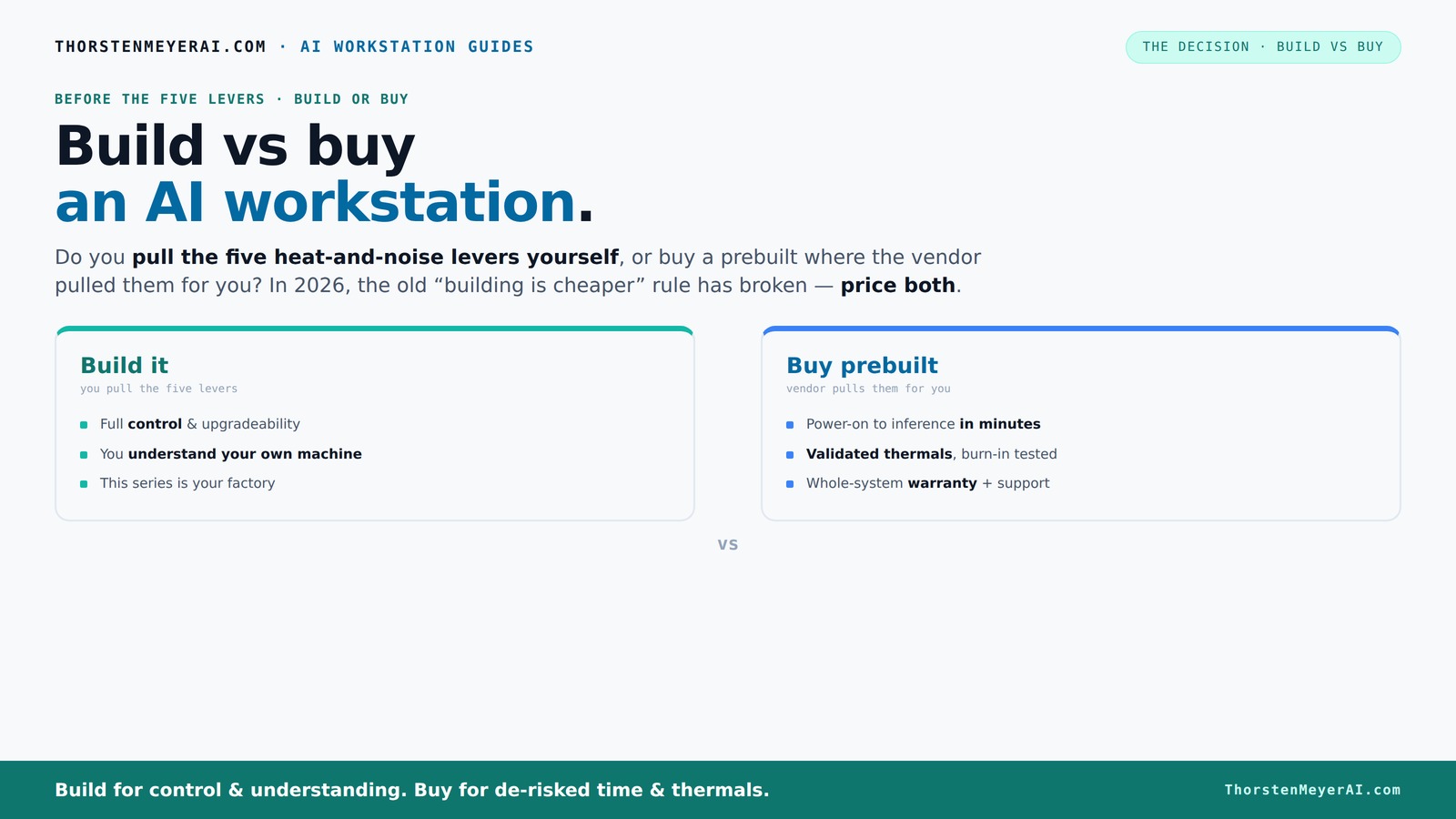
The real question behind this whole series: do you pull the five heat-and-noise levers yourself, or buy a prebuilt where the vendor pulled them for you? And in 2026, the old “building is cheaper” rule has broken. Match your situation in Part 3.
Key Takeaways
- Component shortages in 2026 have made prebuilt AI workstations often more cost-effective than DIY builds.
- Prebuilts validate thermals, noise, and stability before shipping, reducing setup time and risks.
- DIY offers maximum control over parts, cooling, and future upgrades, but requires time and expertise.
- Support and warranty are significant advantages for prebuilt systems, especially under load.
- Choosing between build and buy depends on your need for speed, control, and confidence in hardware tuning.
As an affiliate, we earn on qualifying purchases.
Why 2026 Changes the Game: Building Is No Longer Cheaper
In 2026, the old rule — 'build cheaper than buy' — no longer holds. Component shortages and skyrocketing prices for GPUs, RAM, and SSDs have made DIY builds more expensive. A system that once cost under $1,000 now often costs $1,250 or more.
Meanwhile, major prebuilt vendors like Lambda and Puget Systems bought components in bulk before the shortages hit. They can assemble and validate systems at prices that are often hard to beat, especially for high-end AI setups. This shift means your decision isn’t just about saving money; it’s about balancing cost, time, and risk.
Who Pulls the Five Levers? Building vs Buying in Thermal and Noise Control
Making an AI workstation run cool and quiet is a game of control. Those five levers—undervolt GPU, match cooling, optimize airflow, tune fans, and placement—are what you or the vendor handle. Buying prebuilt means the vendor pulls these levers for you, validating thermals and noise levels before shipping. Learn more about aerial filming and UAV innovations.
For example, a vendor like BIZON tests each system under full load for hours and offers water-cooling options to cut noise by up to 30%. You get a machine that’s ready to run at peak performance without the guesswork.
On the other hand, building your own means you choose every component and tune it yourself, gaining unmatched control but risking a noisy or thermally throttled setup if you overlook details.
Cost Breakdown: What Are You Really Paying For?
Here’s a straightforward comparison, especially relevant as hardware reviews and guides highlight the importance of component selection.
| Build | Buy |
|---|---|
| - Cost of parts + assembly labor - Time spent sourcing, troubleshooting, tuning - Potential trial-and-error with temps and noise - Upgrades and future repairs DIY-ready | - Price includes assembly, validation, warranty - Ready-to-use OS and AI software stack - Support and quick replacements - Less time to productivity |
Recent data shows that a custom build, once cheaper, now often costs the same or more than a prebuilt because component prices have surged. But if you value control and future upgrades, DIY might still be worth it.
Which Path Offers Better AI Performance for Your Money?
Performance per dollar depends heavily on your workload and how well you optimize. Building allows you to pick the exact GPU, RAM, and cooling tailored to your AI tasks—whether that’s multi-GPU training or large VRAM inference models. For more insights, visit EnergyLast about energy-efficient hardware.
Prebuilts often include validated, balanced systems with high-quality parts and software tuning. For example, a prebuilt with a 4090 GPU and 128GB RAM may outperform a self-assembled rig that’s not perfectly tuned, especially under sustained load. Vendors like Lambda also optimize software and hardware integration, improving efficiency.
In essence, if you’re willing to fine-tune and troubleshoot, DIY can squeeze out more performance for less. But for most users, a well-made prebuilt offers a reliable, high-performance platform out of the box.
Support, Warranty, and Future Upgrades — Why They Matter
Prebuilts come with support channels that can be lifesavers. If your system crashes or thermal issues crop up during a critical AI run, a vendor’s support line can save hours or days. Many offer warranties up to 5 years, covering parts and labor.
Building your own system means you’re on your own for support. You’ll need to diagnose hardware failures, replace parts, and manage compatibility issues. Upgrading is also more straightforward with standard parts but can still be tricky if you used proprietary connectors or nonstandard cooling components.
Ultimately, support and warranty can reduce downtime and stress — especially important in professional or production environments.
Upgrade Paths and Proprietary Parts: Can You Keep It Fresh?
Upgrading a prebuilt can be a mixed bag. Many OEM systems use proprietary connectors or custom cases, making upgrades or repairs harder. For example, some systems have nonstandard power supplies or cooling systems that lock you into their ecosystem.
Building your own gives you total control. You can swap out GPUs, add RAM, or upgrade storage with standard parts, future-proofing your investment. But it also means you must do the research and assembly yourself.
So, if upgradeability matters, DIY offers a clearer path — but only if you’re comfortable handling hardware changes.
Latest Trends: AI-Optimized Hardware and Software Ecosystems
AI PCs now pack more than just GPUs. Vendors are integrating NPUs and AI-optimized software, making them more efficient for tasks like real-time video editing or deepfake detection. Dell, for instance, highlights that their AI workstations leverage software that reduces lag and power consumption by optimizing hardware use. Learn more about technology reviews and product comparisons.
This means your AI workflow benefits from hardware/software synergy, reducing latency and freeing up resources for other tasks. As a creator or developer, choosing a machine with AI-accelerated features can boost productivity and lower operational costs.
Frequently Asked Questions
Is it cheaper to build or buy a prebuilt AI workstation?
In 2026, component shortages and bulk buying have closed the price gap, making prebuilt systems often just as affordable or even cheaper than DIY builds, especially at high-end specs. Always price both options for your exact configuration.
Which gives better AI performance for the money?
Performance depends on how well you tune your hardware and software. Prebuilts are validated for optimized performance, but DIY allows custom tuning. For most, a quality prebuilt offers excellent, reliable performance without guesswork.
Do prebuilts use worse parts than custom builds?
Not necessarily. Reputable vendors use high-quality, server-grade parts, and validate their systems thoroughly. However, some OEMs may use proprietary components, making future upgrades trickier.
How much does warranty/support matter for an AI workstation?
Support and warranty can save hours or days in troubleshooting and repair, especially during critical AI tasks. Prebuilts usually come with dedicated support, which is valuable for professional use.
Can I upgrade a prebuilt later, or will I be locked into proprietary parts?
It varies. Standard parts are easy to upgrade, but some prebuilt systems use proprietary connectors or cases, limiting future upgrades. Check the vendor’s upgrade policy before buying.
Conclusion
In a market where component prices soar and validation matters, prebuilt AI workstations often save you time and hassle—delivering reliable performance straight out of the box. But if you crave control, customization, and the thrill of building your perfect machine, DIY remains a powerful option.
Think about what matters most: immediate productivity or total mastery? In 2026, the best choice hinges on your workflow and risk appetite. Either way, your AI journey just got a lot more interesting.