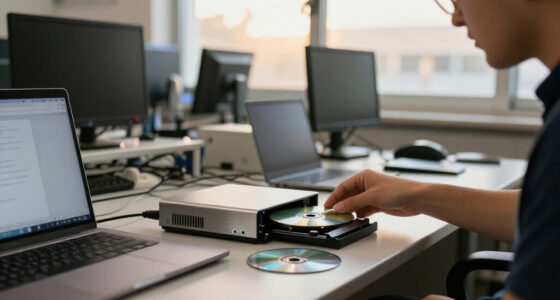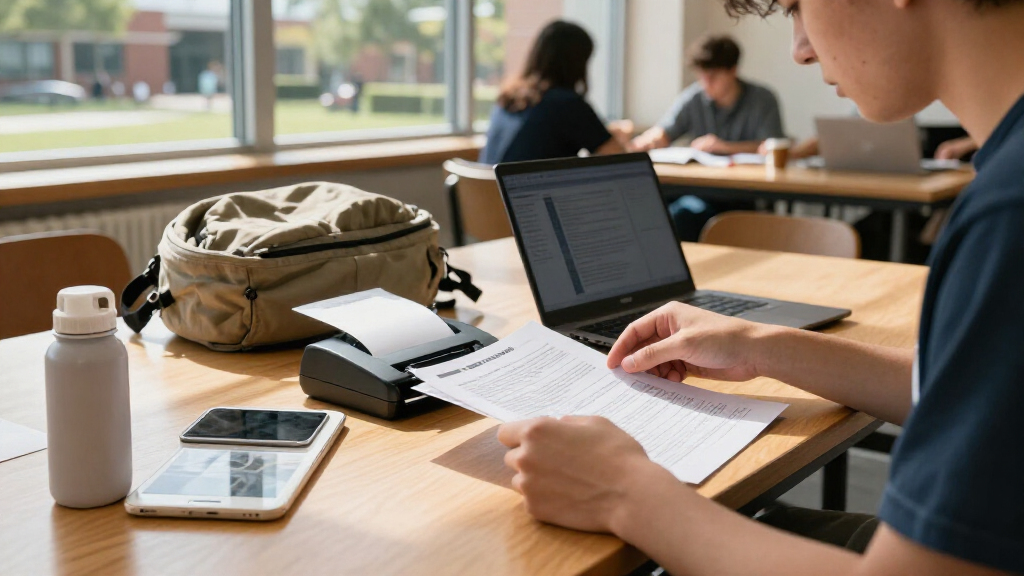
For most students, I’d start with the ScanSnap iX1300: its duplex scanning and wireless or USB connection suit regular batches of class notes and handouts. The Brother DS-640 is a simpler, compact choice for students who scan one page at a time, while the Canon imageFORMULA R10 offers a more self-contained sheet-fed workflow. The main tradeoff is between speed and convenience from sheet-fed models and the low weight and lower setup demands of handheld scanners. Flatbed models can handle bound or delicate pages, but take up more desk space. Read on for the full comparison and help matching a scanner to your coursework.

Prime made for students and young adults
- Fast, free delivery for dorm and study essentials
- Prime Video and Amazon Music included
- Member-only deals
Key Takeaways
- The ScanSnap iX1300 leads for regular study workloads: duplex scanning and wireless or USB operation make it a stronger fit for batches than the single-sheet mobile models.
- Compact sheet-fed scanners beat handheld models for repeatable page capture: the Brother DS-640, Epson ES-50, and Epson DS-70 are designed around feeding individual documents rather than guiding a scanner by hand.
- Handheld models trade workflow convenience for independence: options from AOZBZ, ANNCARY, MUNBYN, and Hczrc can save scans to a memory card, but manual passes call for steadier handling.
- A flatbed solves a different student problem: the Canon CanoScan LiDE 300 is suited to bound books and delicate pages, not students who need to scan loose notes quickly between classes.
- The Canon R40II is the least campus-oriented fit: its duplex office focus may suit a shared study space, but its larger office-style format is less aligned with frequent backpack carry than the mobile models.
| AOZBZ Portable Handheld Document Scanner, 900 DPI |  | Best for Scanning Without a Computer | Scanner type: Document scanner | Resolution: 300, 600, or 900 dpi | Connection: USB 2.0 | VIEW LATEST PRICE | See Our Full Breakdown |
| ScanSnap iX1300 Wireless or USB Duplex Color Document Scanner, Black |  | Best Overall for Student Workloads | Scanner type: Document and receipt scanner | Connection: USB, Wi-Fi | Resolution: 600 dpi | VIEW LATEST PRICE | See Our Full Breakdown |
| Brother DS-640 Compact Mobile Document Scanner |  | Best for Cross-Platform Laptop Use | Model: DS-640 | Scan speed: Up to 16 pages per minute | Resolution: 300 dpi | VIEW LATEST PRICE | See Our Full Breakdown |
| Canon imageFORMULA R10 Portable Document Scanner |  | Best for Simple, Installation-Free Setup | Connection: USB | Resolution: 600 dpi | Duplex scanning: Yes | VIEW LATEST PRICE | See Our Full Breakdown |
| Epson WorkForce ES-50 Mobile Document Scanner |  | Best Lightweight Backpack Pick | Connection: USB 2.0 | Resolution: 1200 dpi | Scan speed: As fast as 5.5 seconds per page | VIEW LATEST PRICE | See Our Full Breakdown |
| Plustek S410 Plus Portable Document Scanner |  | Best for Searchable Study Notes | Scanner type: Document | Connection: USB | Resolution: 600 dpi | VIEW LATEST PRICE | See Our Full Breakdown |
| ANNCARY Portable Handheld Document Scanner, 300/600/900 DPI |  | Best for Wand-Style Travel Scanning | Scanner type: Handheld | Connection: USB | Resolution: 300, 600, or 900 DPI | VIEW LATEST PRICE | See Our Full Breakdown |
| ScanSnap iX1300 Wireless or USB Duplex Color Document Scanner, White |  | Best for High-Volume Study Scanning | Scanner type: Document and receipt | Connectivity: USB, Wi-Fi | Resolution: 600 dpi | VIEW LATEST PRICE | See Our Full Breakdown |
| MUNBYN Portable Handheld Scanner, 900 DPI, A4, 16GB SD Card, Black |  | Best for Capturing Book Pages Without a Feeder | Scanner type: Handheld wand scanner | Maximum scan size: A4 | Scan resolution: 300, 600, or 900 dpi | VIEW LATEST PRICE | See Our Full Breakdown |
| Canon CanoScan LiDE 300 Flatbed Scanner |  | Best for Flatbed Photo and Document Scans | Scanner type: Document and photo | Connection: USB | Optical resolution: 2400 × 2400 dpi | VIEW LATEST PRICE | See Our Full Breakdown |
| Hczrc Portable Handheld Scanner with 16GB MicroSD Card |  | Best for Scanning Away from a Laptop | Scanner type: Handheld receipt, photo, and document scanner | Resolution: 300, 600, or 900 dpi | File formats: JPEG and PDF | VIEW LATEST PRICE | See Our Full Breakdown |
| Epson DS-70 Portable Single-Sheet Document Scanner |  | Best for Searchable Class Notes | Scanner type: Single-sheet-fed document scanner | Optical resolution: 1200 dpi | Scanning speed: As fast as 5.5 seconds per page | VIEW LATEST PRICE | See Our Full Breakdown |
| HPPS100 Portable USB Document and Photo Scanner |  | Best for Small Mixed-Media Batches | Scanner type: Sheet-fed document and photo scanner | Scanning: Single-sided (simplex) | Scanning speed: 15 pages per minute | VIEW LATEST PRICE | See Our Full Breakdown |
| Canon imageFORMULA R40II Duplex Office Document Scanner |  | Best for Heavy Two-Sided Scanning | Scanner type: Document scanner with automatic feeder | Scanning: Duplex color, up to 45 pages per minute | Feeder capacity: 60 sheets | VIEW LATEST PRICE | See Our Full Breakdown |
| AOZBZ Portable A4 Document Scanner with 16GB SD Card |  | Best Lightweight Handheld Pick | Scanner type: Handheld A4 document scanner | Resolution: 300, 600, or 900 dpi | Color depth: 24 bits per pixel | VIEW LATEST PRICE | See Our Full Breakdown |
| portable document scanners for student | Scanner type | Resolution | Connection | Dimensions |
|---|---|---|---|---|
| AOZBZ Portable Handheld Docume | Document scanner | 300, 600, or 900 dpi | USB 2.0 | 10 × 1 × 1 inches |
| ScanSnap iX1300 Wireless or US | Document and receipt scanner | 600 dpi | USB, Wi-Fi | 4.5 × 11.7 × 3.3 inches (D × W × H) |
| Brother DS-640 Compact Mobile | — | 300 dpi | — | 1.99 × 11.9 × 1.45 inches |
| Canon imageFORMULA R10 Portabl | — | 600 dpi | USB | 3.74 × 11.22 × 1.57 inches |
| Epson WorkForce ES-50 Mobile D | — | 1200 dpi | USB 2.0 | — |
| Plustek S410 Plus Portable Doc | Document | 600 dpi | USB | 1.6 × 11.7 × 1.9 in |
| ANNCARY Portable Handheld Docu | Handheld | 300, 600, or 900 DPI | USB | 0.98 × 10.04 × 0.98 in |
| ScanSnap iX1300 Wireless or US | Document and receipt | 600 dpi | — | 4.5 × 11.7 × 3.3 in |
| MUNBYN Portable Handheld Scann | Handheld wand scanner | — | — | 0.84 × 10 × 0.7 in |
| Canon CanoScan LiDE 300 Flatbe | Document and photo | — | USB | 14.5 × 9.9 × 1.7 in |
| Hczrc Portable Handheld Scanne | Handheld receipt, photo, and document scanner | 300, 600, or 900 dpi | USB | 2 × 11 × 1.5 inches |
| Epson DS-70 Portable Single-Sh | Single-sheet-fed document scanner | — | — | — |
| HPPS100 Portable USB Document | Sheet-fed document and photo scanner | 1200 dpi | USB 2.0 | — |
| Canon imageFORMULA R40II Duple | Document scanner with automatic feeder | 600 dpi | USB-C | — |
| AOZBZ Portable A4 Document Sca | Handheld A4 document scanner | 300, 600, or 900 dpi | Wireless scanning; USB connection to PC for transfer | — |
More Details on Our Top Picks
AOZBZ Portable Handheld Document Scanner, 900 DPI
For students who need a scanner that can work away from a desk, this handheld AOZBZ saves scans to a microSD card instead of relying on a computer connection during capture. Its 300, 600, and 900 dpi settings offer flexibility for notes, handouts, and image details, while JPEG and PDF formats cover common sharing and archiving needs. The included 16 GB card means there is storage to start with, though the scanner supports cards only up to 32 GB.
Compared with the Brother DS-640 and Epson ES-50, it is less suited to quickly processing a stack: you must guide it over each page by hand, and results depend on a steady pass. Choose it for occasional pages and independence from a laptop, not for batches or consistent high-throughput scanning.
Pros:- Stores scans on a microSD card, so a computer is not needed during capture.
- Offers 300, 600, and 900 dpi settings for different document detail needs.
- Saves files as JPEG or PDF.
- Includes a 16 GB SD card and supports USB 2.0.
Cons:- Manual movement across each page makes scanning slower and requires a steady hand.
- Supports microSD cards only up to 32 GB.
- Its listed operating-system compatibility is limited to older Windows versions and Mac OS 10.4 or later.
Best for: Students who want to capture occasional lecture notes or book pages directly to a memory card without keeping a laptop connected.
Not ideal for: Students scanning assignments or lengthy readings in batches; manual passes take more effort and can be less consistent than feeding pages through a sheet scanner.
- Scanner type:Document scanner
- Resolution:300, 600, or 900 dpi
- Connection:USB 2.0
- File formats:JPEG, PDF
- Storage:Supports microSD cards up to 32 GB; includes 16 GB card
- Dimensions:10 × 1 × 1 inches
- Weight:170 g
- Warranty:2 years
Our verdict“Choose the AOZBZ if storing occasional scans directly on a memory card matters more than fast, hands-off page feeding.”
ScanSnap iX1300 Wireless or USB Duplex Color Document Scanner, Black
The ScanSnap iX1300 is the strongest fit here for students who regularly need to digitize more than a few loose pages. Its automatic duplex scanning captures both sides in one pass, and the listed speed reaches up to 30 pages per minute. That can save time on lecture packets and double-sided readings compared with the Canon imageFORMULA R10, which is rated for up to 12 pages per minute. A 20-sheet capacity keeps small batches moving without constant page placement.
USB and Wi-Fi connectivity give it more flexibility than the USB-powered Brother DS-640, including scans to computers and mobile devices. The tradeoff is that this is a compact desktop-style unit, not the lightest choice to carry between classes, and connected use depends on compatible software and operating systems. Pick it for a dorm or study space where regular batch scanning beats minimum carry weight.
Pros:- Duplex scanning captures both sides of a page in one pass.
- Scans at up to 30 pages per minute, faster than the listed Canon R10 and Brother DS-640 speeds.
- Connects by USB or Wi-Fi to computers and mobile devices.
- Handles documents, photos, receipts, and plastic cards.
Cons:- At 4.4 pounds, it is less convenient to carry than the lightweight Epson ES-50 or handheld AOZBZ.
- The 20-sheet feeder limits the size of each unattended batch.
- Connected-device use requires compatible software and operating systems.
Best for: Students who frequently scan double-sided readings, receipts, and notes at a dorm or home study desk and want computer or mobile connectivity.
Not ideal for: Students seeking a scanner to carry daily in a backpack or scan without compatible software; the unit weighs 4.4 pounds and depends on connected-device support.
- Scanner type:Document and receipt scanner
- Connection:USB, Wi-Fi
- Resolution:600 dpi
- Duplex scanning speed:Up to 30 pages per minute
- Standard sheet capacity:20 sheets
- Dimensions:4.5 × 11.7 × 3.3 inches (D × W × H)
- Weight:4.4 pounds
- Warranty:1-year depot warranty
Our verdict“Pick the iX1300 if your student workload includes frequent double-sided batches and you can give a 4.4-pound scanner a place to stay.”
Brother DS-640 Compact Mobile Document Scanner
The Brother DS-640 is a practical pick for students who carry a laptop and want a dedicated scanner that draws power over USB. Its Windows, Mac, and Linux compatibility gives it an advantage over the Canon R10 and Epson ES-50, whose listed compatibility is limited to Windows and Mac. The scanner also handles business cards and plastic ID cards, plus documents up to 72 inches long—useful for lengthy forms or continuous material that a basic page-focused workflow may not handle as well.
At up to 16 pages per minute, it is quicker on paper than the Epson ES-50’s single-sheet, 5.5-second-per-page approach, though neither is a high-capacity automatic feeder. Unlike the ScanSnap iX1300, the Brother is USB-only and needs a connected computer for power. Its bundled software and drivers also require an internet download, so plan setup before relying on it away from a network.
Pros:- Works with Windows, Mac, and Linux.
- USB-powered design avoids a separate power supply.
- Handles documents up to 72 inches long and supports business and plastic ID cards.
- Includes OCR, document management, and image enhancement software.
Cons:- Requires a connected PC or laptop for power.
- USB-only connectivity offers less flexibility than the ScanSnap iX1300’s Wi-Fi option.
- Drivers and software require an internet download, and image rotation is available only on PC.
Best for: Students using Windows, Mac, or Linux laptops who need a compact USB-powered scanner for papers, long documents, and ID cards.
Not ideal for: Students who want wireless scanning, independent operation, or a scanner that can run without a connected laptop.
- Model:DS-640
- Scan speed:Up to 16 pages per minute
- Resolution:300 dpi
- Connection and power:USB; 2.5 watts
- Maximum document length:72 inches
- Supported media:Business cards, embossed cards, ID cards, laminated cards, plain paper, plastic cards, receipts
- Dimensions:1.99 × 11.9 × 1.45 inches
- Compatibility:Windows, Mac, Linux
Our verdict“Choose the DS-640 if broad computer compatibility and USB-powered mobile scanning matter more than wireless use.”
Canon imageFORMULA R10 Portable Document Scanner
The Canon imageFORMULA R10 suits students who want a straightforward feeder scanner rather than a handheld device or a more software-dependent setup. Its built-in software is ready without a separate installation, and two-sided scanning at up to 12 pages per minute makes it more efficient for class packets than manually guiding the AOZBZ across every page. The 20-sheet feeder and USB power also keep its desk footprint and setup modest compared with the wireless ScanSnap iX1300.
The R10 is not the fastest batch option in this group: the iX1300 reaches up to 30 pages per minute, while the Brother DS-640 is rated up to 16. The Canon’s own speed is a better match for occasional coursework than repeated large batches. It handles receipts, business cards, and plastic or embossed cards, but is not intended for photographic media, so students who need photo scanning should look elsewhere.
Pros:- Built-in software works without a separate installation.
- Scans both sides of a document in one pass.
- USB-powered and compact enough for a small study area.
- Handles receipts, business cards, and plastic or embossed cards.
Cons:- The 20-sheet feeder and up-to-12-page-per-minute speed are less suited to large batches than the ScanSnap iX1300.
- Not intended for photographic media.
- Listed compatibility covers Windows and Mac, not Linux.
Best for: Students who want an uncomplicated USB-powered feeder for occasional double-sided coursework, receipts, and ID cards.
Not ideal for: Students who need Wi-Fi, high-speed batch scanning, or a scanner for photographic prints.
- Connection:USB
- Resolution:600 dpi
- Duplex scanning:Yes
- Scanning speed:Up to 12 pages per minute
- Automatic feeder capacity:20 sheets
- Power consumption:2.5 W or less
- Dimensions:3.74 × 11.22 × 1.57 inches
- Compatibility:Windows and Mac
Our verdict“Choose the Canon R10 for simple, wired duplex scanning of everyday school papers, but not for photo work or large batches.”
Epson WorkForce ES-50 Mobile Document Scanner
At 9.44 ounces, the Epson WorkForce ES-50 is the clearest choice for students who value carrying weight over batch convenience. It runs from USB, needs no separate power supply, and handles pages, receipts, ID cards, and documents up to 72 inches long. Its OCR software can create searchable PDFs and editable Word or Excel files, which is useful when class notes need to be found or reused rather than merely archived as images.
The main compromise is its single-sheet feed: each page must be inserted separately, unlike the 20-sheet Canon R10 or ScanSnap iX1300. The ES-50’s 5.5-second-per-page scan speed is well suited to a few pages between classes, not a thick reading packet. Cloud scanning also depends on an internet connection and Epson ScanSmart, so the AOZBZ may be preferable for students who want to save directly to a memory card instead.
Pros:- Weighs 9.44 ounces and is easy to carry with a laptop.
- USB-powered without batteries or an external power supply.
- OCR supports searchable PDFs and editable Word and Excel files.
- Scans documents up to 8.5 × 72 inches, along with receipts and ID cards.
Cons:- Feeds one sheet at a time, unlike the Canon R10 and ScanSnap iX1300.
- Cloud scanning requires an internet connection and Epson ScanSmart software.
- USB-only connection lacks the ScanSnap iX1300’s Wi-Fi option.
Best for: Students who carry a scanner with a laptop and mostly digitize a few pages, receipts, or ID cards at a time.
Not ideal for: Students who regularly scan multi-page packets or need wireless operation; its single-sheet feed and USB connection make batch work slower and less flexible.
- Connection:USB 2.0
- Resolution:1200 dpi
- Scan speed:As fast as 5.5 seconds per page
- Sheet capacity:1
- Maximum document size:8.5 × 72 inches
- Power consumption:2.1 watts
- Weight:9.44 ounces
- Compatibility:Windows and Mac
Our verdict“Pick the ES-50 if backpack-friendly weight and OCR matter more than scanning a stack of pages quickly.”
Plustek S410 Plus Portable Document Scanner
The Plustek S410 Plus suits students who want to turn loose handouts, receipts, or ID cards into files they can find and edit later. Its built-in OCR can create searchable PDFs and editable Word or Excel files, a useful step up from the image-only storage offered by the handheld ANNCARY scanner. Automatic, button-free scanning also avoids the hand-steadying required by wand models. The tradeoff is its one-sheet capacity: scanning a thick packet will take repeated feeding, unlike the ScanSnap iX1300, which holds 20 sheets and scans both sides. USB power keeps the Plustek simple to carry without a separate adapter, but the listed minimum system requirement is Windows 7, so students should check compatibility with their current computer before choosing it.
Pros:- Built-in OCR creates searchable PDFs and editable Word or Excel files.
- USB-powered operation needs no batteries or external power supply.
- Automatic scanning avoids manually guiding a handheld wand.
- Scans paper, business cards, and plastic ID cards.
Cons:- One-sheet capacity makes batch scanning slow compared with the ScanSnap iX1300.
- Listed minimum system requirement is Windows 7, which may not clarify compatibility with a student’s current setup.
Best for: Students who regularly digitize individual handouts and want searchable PDFs or editable text from a compact, USB-powered scanner.
Not ideal for: Students who need to process full lecture packets quickly or rely on a device that works with newer systems beyond the listed Windows 7 minimum.
- Scanner type:Document
- Connection:USB
- Resolution:600 dpi
- Power consumption:2.5 W
- Supported media:Paper, business cards, and plastic ID cards
- Dimensions:1.6 × 11.7 × 1.9 in
- Weight:0.41 kg
- Warranty:2-year manufacturer warranty
Our verdict“Choose the Plustek S410 Plus for portable, OCR-ready scans of individual pages, but pick the ScanSnap iX1300 for larger two-sided batches.”
ANNCARY Portable Handheld Document Scanner, 300/600/900 DPI
The ANNCARY handheld scanner is for students who want a small device they can pack and use away from a desk. It saves scans directly to a Micro SD card as JPG or PDF, and its 300, 600, and 900 DPI settings let students choose between smaller everyday files and more detailed captures. Unlike the sheet-fed Plustek S410 Plus, it needs no computer connection while scanning; USB is listed for connection, but the stored files are the main workflow. That freedom comes with a learning curve: the wand must be moved steadily by hand, so pages may be less consistent than scans from an automatic feeder. Its card support also tops out at 32 GB, and no OCR feature is listed, making it less suited to turning notes into searchable text.
Pros:- Compact handheld design is easy to carry between classes.
- Selectable 300, 600, and 900 DPI settings offer detail choices.
- Stores scans as JPG or PDF on a Micro SD card.
- Works with Windows and Mac OS without additional drivers or software.
Cons:- Manual scanning requires a steady hand and can produce uneven results.
- Micro SD card capacity is limited to 32 GB.
- No OCR capability is listed for searching or editing scanned text.
Best for: Students who need a lightweight scanner for occasional receipts, notes, or pages in places without a desk or computer nearby.
Not ideal for: Students digitizing long reading packets or needing searchable text, since manual passes take practice and OCR is not listed.
- Scanner type:Handheld
- Connection:USB
- Resolution:300, 600, or 900 DPI
- Color depth:24 bits per pixel
- File formats:JPG, PDF
- Maximum Micro SD card capacity:32 GB
- Dimensions:0.98 × 10.04 × 0.98 in
- Supported media:Books, documents, insurance cards, photos, and receipts
Our verdict“Pick the ANNCARY for occasional, computer-free capture on the move, but choose the Plustek S410 Plus if searchable documents matter more than wand portability.”
ScanSnap iX1300 Wireless or USB Duplex Color Document Scanner, White
For students facing a stack of lecture notes or two-sided readings, the ScanSnap iX1300 is the strongest batch-scanning choice in this group. Its duplex speed of up to 30 pages per minute and 20-sheet capacity can cut down the time spent feeding pages compared with the one-sheet Plustek S410 Plus or Canon CanoScan LiDE 300. Wi-Fi adds a more flexible route to computers and mobile devices, while automatic de-skew and blank-page removal can reduce cleanup after scanning. This convenience comes at the cost of greater bulk and more power use than the tiny wand scanners, and its 20-sheet capacity still calls for refills on large packets. The listed 100 V voltage is also worth checking against the student’s local power setup before buying.
Pros:- Duplex scanning captures both sides at up to 30 pages per minute.
- 20-sheet capacity reduces repeated feeding compared with one-sheet models.
- USB and Wi-Fi support computers and mobile devices.
- Automatic de-skew, color optimization, and blank-page removal reduce file cleanup.
Cons:- At 4.4 pounds, it is less convenient to carry than handheld wand scanners.
- The 20-sheet capacity still requires refills for larger reading packets.
- Listed voltage is 100 V, so students should verify power compatibility.
Best for: Students who regularly scan multi-page, double-sided readings and want wireless access from a computer, phone, or tablet.
Not ideal for: Students who need the smallest, lightest scanner for a backpack or who only scan an occasional page and do not need duplex batch handling.
- Scanner type:Document and receipt
- Connectivity:USB, Wi-Fi
- Resolution:600 dpi
- Scanning speed:Up to 30 ppm duplex
- Standard sheet capacity:20 sheets
- Dimensions:4.5 × 11.7 × 3.3 in
- Weight:4.4 lb
- Compatible systems:Windows 10/11, macOS Monterey 12 or later, iOS 16 or later, iPadOS 16 or later, Android 10 or later, ChromeOS 138 or later
Our verdict“Choose the ScanSnap iX1300 if batch duplex scanning and wireless access outweigh the need for the lightest possible backpack setup.”
MUNBYN Portable Handheld Scanner, 900 DPI, A4, 16GB SD Card, Black
The MUNBYN handheld scanner makes sense for students who need to capture book pages or loose documents up to A4 size without carrying a sheet-fed machine. It scans to an included 16GB SD card, then transfers files over USB without driver installation. Three resolution settings, reaching 900 dpi, give students room to capture fine print or choose faster everyday scans. Compared with the ANNCARY wand, the MUNBYN includes storage in the box and lists a 2-year warranty, though its 16GB card is smaller than ANNCARY’s supported 32GB maximum. Both require a smooth manual pass, so neither is as consistent or quick for stacks as the ScanSnap iX1300. OCR is not listed, which means scans should be treated as images rather than ready-to-search notes.
Pros:- Captures pages up to A4 size, including book pages.
- Offers 300, 600, and 900 dpi scan settings.
- Includes a 16GB SD card for saving scans.
- USB file transfer does not require driver installation.
Cons:- Manual scanning takes practice to keep results straight and consistent.
- OCR software is not listed, limiting text search and editing.
- The included 16GB card provides less capacity than ANNCARY’s supported 32GB maximum.
Best for: Students who need to capture pages from textbooks or loose A4 papers and prefer saving scans to included removable storage.
Not ideal for: Students scanning large batches or wanting searchable, editable text, since each page needs a careful manual pass and OCR is not listed.
- Scanner type:Handheld wand scanner
- Maximum scan size:A4
- Scan resolution:300, 600, or 900 dpi
- Scan speed:3–5 seconds per scan
- Storage:16GB SD card
- Connections:Wireless scanning; USB for computer transfer
- Dimensions:0.84 × 10 × 0.7 in
- Weight:145 g
Our verdict“Choose the MUNBYN for portable A4 book-page capture with included storage, but opt for the ScanSnap iX1300 for faster, more consistent batches.”
Canon CanoScan LiDE 300 Flatbed Scanner
The Canon CanoScan LiDE 300 is the better fit when a student’s scanning pile includes photos, receipts, or items that should lie flat rather than pass through a feeder. Its 2400 × 2400 dpi optical resolution, fade correction, and dust reduction give it more photo-focused detail tools than the Plustek S410 Plus, while Auto Scan Mode and four EZ buttons simplify common jobs. It also supports searchable, editable PDFs with OCR. The compromise is portability: this flatbed is 14.5 inches long and needs a wired USB connection, so it is less convenient to move around campus than the compact handheld ANNCARY. A one-item-at-a-time workflow also makes it a poor match for scanning a term’s worth of two-sided notes compared with the ScanSnap iX1300.
Pros:- 2400 × 2400 dpi optical resolution supports detailed photo scans.
- Auto Scan Mode detects the item type and adjusts settings.
- Four EZ buttons provide direct access to scan, copy, and PDF tasks.
- Fade correction, dust reduction, and OCR support photo cleanup and searchable PDFs.
Cons:- Wired USB connection limits placement and mobile use.
- One-item-at-a-time scanning is slower for large document batches.
- Its flatbed footprint is less backpack-friendly than the handheld ANNCARY.
Best for: Students who scan photographs, artwork, and individual papers at a desk and want more image detail than a portable wand provides.
Not ideal for: Students who need a scanner to carry between classes or want to process multi-page, double-sided readings quickly.
- Scanner type:Document and photo
- Connection:USB
- Optical resolution:2400 × 2400 dpi
- Scan speed:About 10 seconds
- Buttons:4 EZ buttons
- Color depth:48 bits
- Dimensions:14.5 × 9.9 × 1.7 in
- Weight:3.6 lb
Our verdict“Choose the Canon LiDE 300 for detailed, desk-based scans of photos and individual pages, not for portable batch scanning around campus.”
Hczrc Portable Handheld Scanner with 16GB MicroSD Card
The Hczrc suits students who need to capture a page in a library book or a receipt where a sheet-fed scanner is inconvenient. It saves JPEG or PDF files directly to the included 16GB MicroSD card, so scans don’t need to pass through a computer immediately. Its 300, 600, and 900 dpi settings also give students a choice between smaller files for notes and finer detail for images. Compared with the Epson DS-70, it offers more independence from a computer, but trades the Epson’s guided, page-fed scanning for a manual sweep across each page. That takes a steadier hand and can make consistent results harder. The two AA batteries are not included, so students should plan for their own power source.
Pros:- Stores scans on the included 16GB MicroSD card
- Offers 300, 600, and 900 dpi settings
- Saves files as JPEG or PDF
- Requires no software installation
Cons:- Manual movement across each page can make scanning slower and less consistent
- Two AA batteries are required and not included
Best for: Students who need to capture book pages, receipts, or loose notes in places without a laptop close by.
Not ideal for: Students scanning stacks of lecture handouts or who need reliably aligned scans; each page requires a manual pass, and the batteries are sold separately.
- Scanner type:Handheld receipt, photo, and document scanner
- Resolution:300, 600, or 900 dpi
- File formats:JPEG and PDF
- Storage:Included 16GB MicroSD card; supports up to 32GB
- Connection:USB
- Power:Two AA batteries, not included
- Dimensions:2 × 11 × 1.5 inches
- Compatibility:Windows XP/7/Vista; Mac OS 10.4 or later
Our verdict“Choose the Hczrc if scanning without a computer matters more than the speed and consistency of a sheet-fed model like the Epson DS-70.”
Epson DS-70 Portable Single-Sheet Document Scanner
The Epson DS-70 is a strong fit for students who want typed, searchable notes from printed pages rather than image files alone. Its included OCR software can turn scans into editable text or searchable PDFs, making it easier to find a term in a saved reading later. At 9.44 ounces, it is light enough for a campus bag, and its support for documents up to 72 inches long adds flexibility for unusual source material. Compared with the HPPS100, the DS-70 offers OCR and long-document handling, while the HPPS100 lists a 10-sheet capacity and more editing tools. The Epson feeds one sheet at a time and depends on a computer’s USB connection for power, so it is less suited to bulk scanning or working away from a laptop.
Pros:- OCR supports editable text and searchable PDFs
- Lightweight at 9.44 ounces
- Handles documents up to 8.5 × 72 inches, plus cards and receipts
- Scans a page in as fast as 5.5 seconds
Cons:- Single-sheet feeding means pages must be loaded individually
- Requires a USB-connected computer for power
Best for: Students who regularly digitize printed readings and want searchable PDFs or editable text for studying.
Not ideal for: Students who need to scan large stacks quickly or work without a computer connected for power.
- Scanner type:Single-sheet-fed document scanner
- Optical resolution:1200 dpi
- Scanning speed:As fast as 5.5 seconds per page
- Maximum document size:8.5 × 72 inches
- Media:Business cards, ID cards, and receipts
- Connection and power:USB connection; 2.5 watts
- Weight:9.44 ounces
- Compatibility:Windows and Mac
- Warranty:3-year limited warranty
Our verdict“Pick the DS-70 if searchable, study-ready files matter more than batch feeding or computer-free operation.”
HPPS100 Portable USB Document and Photo Scanner
For a student who alternates between handouts, ID cards, receipts, and photos, the HPPS100 offers a useful middle ground between handheld scanning and a single-sheet feeder. Its stated 10-sheet capacity can keep a short batch moving, while HP WorkScan provides preview, cropping, editing, and image-cleanup tools that help prepare files for class projects. The scanner is USB-powered and works with Windows and macOS, so there is no separate battery to pack. Compared with the Epson DS-70, it lists a larger sheet capacity and more built-in image editing, though the Epson adds OCR for searchable PDFs and supports much longer documents. The HP scans one side at a time, and its compact feed capacity still falls short for a semester’s worth of accumulated papers.
Pros:- 10-sheet capacity suits short document batches
- Scans documents, photos, cards, and receipts
- HP WorkScan includes preview, cropping, editing, and image cleanup
- USB-powered and compatible with Windows and macOS
Cons:- Captures only one side of each sheet per pass
- 10-sheet capacity is limiting for large scanning jobs
Best for: Students who scan small batches of handouts alongside cards, receipts, and photos and want basic editing tools included.
Not ideal for: Students who need duplex scanning, OCR for searchable text, or a high-capacity feeder for large study packets.
- Scanner type:Sheet-fed document and photo scanner
- Scanning:Single-sided (simplex)
- Scanning speed:15 pages per minute
- Resolution:1200 dpi
- Standard sheet capacity:10 sheets
- Supported scan sizes:2 × 2.9 inches minimum; 8.5 × 14 inches maximum
- Connection:USB 2.0
- Dimensions and weight:2 × 11.6 × 1.4 inches; 3 ounces
- Compatibility:Windows 7 or later and macOS
Our verdict“Choose the HPPS100 for small mixed-media batches and editing flexibility, but favor the Epson DS-70 if OCR is a priority.”
Canon imageFORMULA R40II Duplex Office Document Scanner
The Canon imageFORMULA R40II is the throughput pick for students who routinely digitize double-sided readings, lab packets, or research paperwork. Its 60-sheet automatic feeder and duplex scanning at up to 45 pages per minute can reduce the handling involved compared with the single-sheet Epson DS-70 or the manually moved Hczrc. That speed comes with a different definition of portable: at 7.1 pounds, this is better suited to a dorm desk or shared study space than a daily-carry bag. Canon CaptureOnTouch handles searchable-file conversion, but the scanner is designed around that software and does not support TWAIN or ISIS drivers, which may restrict use with other workflows. Its USB-C connection also requires a computer, so it is not a standalone campus scanner.
Pros:- Scans both sides of pages in one pass
- 60-sheet automatic feeder handles larger batches
- Up to 45 pages per minute for high-volume jobs
- Foldable feed tray helps reduce desk footprint when stored
Cons:- At 7.1 pounds, it is much heavier than genuinely bag-friendly options such as the Epson DS-70
- Designed for CaptureOnTouch; TWAIN and ISIS drivers are not supported
- Requires a USB connection to a computer
Best for: Students with frequent, large, double-sided scanning jobs who can keep a scanner at a dorm or home study desk.
Not ideal for: Students who need a lightweight scanner for daily campus carry, wireless operation, or compatibility with TWAIN- or ISIS-based software.
- Scanner type:Document scanner with automatic feeder
- Scanning:Duplex color, up to 45 pages per minute
- Feeder capacity:60 sheets
- Resolution:600 dpi
- Connection:USB-C
- Weight:7.1 pounds
- Software and drivers:Canon CaptureOnTouch; TWAIN and ISIS not supported
- Compatibility:Windows 11 and macOS
- Warranty:1 year
Our verdict“Choose the R40II for sustained duplex scanning at a fixed study space, not for carrying between classes.”
AOZBZ Portable A4 Document Scanner with 16GB SD Card
The AOZBZ Portable A4 is aimed at students who want a compact scanner that saves files without requiring a sheet feeder. At about 0.31 pound, it is easy to pack, and the included 16GB card lets it store JPEG or PDF scans for later transfer by USB. Its three resolution choices reach 900 dpi, giving more control over detail than a basic capture setting. Compared with the HPPS100, the AOZBZ can store scans on removable media and does not depend on a computer during capture; the HP is the more practical choice for feeding multiple sheets and editing scans. The AOZBZ’s handheld method requires a careful pass across each page, and its two AA batteries are not included. It suits occasional pages better than long reading lists or hurried batch work.
Pros:- Lightweight at about 0.31 pound
- Includes a 16GB microSD card and supports cards up to 32GB
- Offers 300, 600, and 900 dpi settings
- Saves scans as JPEG or PDF
Cons:- Manual movement across each page takes practice and can slow down batch work
- Requires two AA batteries, which are not included
Best for: Students who need a very light, card-storing scanner for occasional book pages, receipts, or loose A4 documents.
Not ideal for: Students who regularly scan multi-page packets, need automatic page feeding, or want dependable speed without manual passes.
- Scanner type:Handheld A4 document scanner
- Resolution:300, 600, or 900 dpi
- Color depth:24 bits per pixel
- File formats:JPEG and PDF
- Storage:Included 16GB microSD card; supports up to 32GB
- Connection:Wireless scanning; USB connection to PC for transfer
- Weight:About 0.31 pound
- Power:Two AA batteries, not included
- Warranty:2 years
Our verdict“Pick the AOZBZ for lightweight, computer-free capture of occasional pages; choose the HPPS100 for more efficient small batches.”
How We Picked
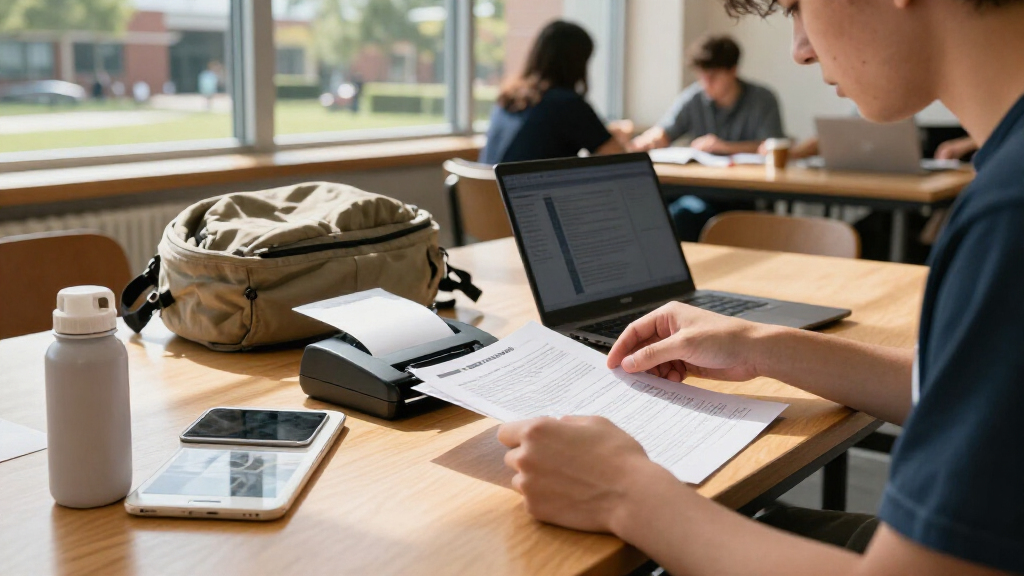
I ranked these scanners around student workflows: carrying a device between home, campus, and a library; capturing lecture handouts and notes; and moving scans into coursework without needless setup. I gave more weight to usable portability, page-feeding convenience, duplex capability, and connection options than to headline resolution alone. I also considered whether a model suits loose pages, bound material, or quick one-off scans, since those needs call for different designs.
The order favors scanners that balance everyday usability with enough capability for a range of student tasks. The ScanSnap iX1300 ranks above single-sheet models for students who scan batches, while the Brother DS-640 and Epson mobile scanners make more sense when compact size and straightforward page-by-page scanning matter more. Handheld scanners rank lower for routine class packets because the user must guide each pass; flatbed and office-oriented units serve more specific setups. The white and black iX1300 listings represent the same model, so color does not change their place in the ranking.
| portable document scanners for student | Connection |
|---|---|
| AOZBZ Portable Handheld Docume | USB 2.0 |
| ScanSnap iX1300 Wireless or US | USB, Wi-Fi |
| Brother DS-640 Compact Mobile | — |
| Canon imageFORMULA R10 Portabl | USB |
| Epson WorkForce ES-50 Mobile D | USB 2.0 |
| Plustek S410 Plus Portable Doc | USB |
| ANNCARY Portable Handheld Docu | USB |
| ScanSnap iX1300 Wireless or US | — |
| MUNBYN Portable Handheld Scann | — |
| Canon CanoScan LiDE 300 Flatbe | USB |
| Hczrc Portable Handheld Scanne | USB |
| Epson DS-70 Portable Single-Sh | — |
| HPPS100 Portable USB Document | USB 2.0 |
| Canon imageFORMULA R40II Duple | USB-C |
| AOZBZ Portable A4 Document Sca | Wireless scanning; USB connection to PC for transfer |
Factors to Consider When Choosing Portable Document Scanners For Students
Before choosing, I’d match the scanner to the documents you actually handle, not just the word “portable” in a listing. A device that fits a backpack may still be awkward if it needs a desk, a computer, or careful hand movement for every page. These decisions help separate a useful study tool from one that stays at home.
Match the scanner type to your source material
Loose lecture sheets and printed readings suit a sheet-fed mobile scanner, which keeps page handling consistent and reduces the effort of capturing a stack. Handheld scanners can work for occasional pages, but they require the user to move the device smoothly across each sheet; that can be harder with dense text or a rushed schedule. A flatbed is the better design for bound books, fragile pages, and material that should not pass through rollers. Students often buy based on the most common document they scan, then discover their coursework includes a different format. List your regular sources first, including textbooks, receipts, diagrams, and loose notes, before choosing a scanner type.
Think about batches, not just scanning speed
A scanner that captures both sides of a sheet can save handling time when class material is printed front and back. For one or two pages at a time, a compact single-sheet model may be less cumbersome than a more capable unit. If you regularly digitize full readings or returned assignments, batch handling and duplex scanning may matter more than a small difference in advertised speed. Check how the device handles paper sizes and feeding before assuming it will accept every handout. A common mistake is to compare speed claims without asking how many times you will need to reposition pages or turn them over. Consider a typical week’s workload rather than a single scan.
Check the full campus workflow
Portability includes more than the scanner’s dimensions: power, cables, computer access, and file transfer all affect whether it is practical between classes. A USB-powered model can reduce what you carry, while wireless features or a memory card may help when you do not want to keep the scanner tethered to a laptop. Those options can also introduce extra setup or file-management steps, so check how scans reach the device you use for coursework. Confirm operating-system compatibility and whether the software supports the file formats and destinations you need. Do not assume that wireless operation means the scanner works without a computer or phone; verify the specific workflow in its documentation.
Treat image quality as a task-specific choice
For searchable class notes, clear text and reliable document capture usually matter more than a very high resolution setting. Higher resolution can be useful for small print, diagrams, or images, but it may produce larger files that take longer to store and organize. OCR support and software workflow can make a bigger difference to studying than resolution alone if you want to search notes later. Handheld scanners also depend on steady movement, so a high setting cannot fix an uneven pass. Think about whether you need readable archives, editable text, or detailed illustrations, then choose settings around that use. Keeping scans legible and consistently named can matter more than maximizing every image specification.
Decide how much desk space you can spare
Students who move between a dorm, shared apartment, and library may value a slim scanner that stores easily, even if it only handles pages one at a time. A flatbed or office-style unit can be sensible for a fixed desk where bound material or larger scanning sessions are common. Portability should reflect where you will scan, not just whether a device can technically be carried. Check the space needed to feed and collect pages, since a compact scanner may still need room around it while operating. Also think about storage between semesters and whether the device will be shared. Paying for a smaller body is less useful if the scanning workflow remains inconvenient in your usual workspace.
Choose based on how often you will scan
For occasional digitizing, a basic handheld or compact single-sheet scanner may be enough, particularly if you can tolerate manual page handling. Frequent scanning changes the calculation: automatic feeding, duplex capture, and dependable software can reduce repeated effort across a semester. A more capable model only earns its place if you will use those features regularly. Students sharing a device with roommates or classmates should also consider whether the scanner can handle multiple people’s workflows and document types. Avoid paying for office-oriented capacity when your usual task is a few pages of notes, but do not underbuy if weekly readings create recurring batches. Estimate a normal month’s scanning, not an unusually busy exam week.
Frequently Asked Questions
Is a handheld scanner a good choice for scanning lecture notes quickly?
It can work for occasional pages, especially when you need a device that saves scans to a memory card and does not depend on a sheet-feeding setup. The tradeoff is that you guide it over each page, so smooth, even movement matters. That makes handheld models less convenient for repeated batches than the ScanSnap iX1300 or compact sheet-fed options. If your notes are loose and you only scan now and then, the manual process may be acceptable. For weekly packets or double-sided handouts, I’d favor a sheet-fed model.
Do students need duplex scanning?
Duplex scanning is useful when handouts, readings, or returned assignments are printed on both sides because it avoids manually flipping every sheet for a second pass. It matters less if you mostly scan single-sided notes or only a few pages at a time. Think about how often your course materials use both sides, rather than treating duplex as a must-have feature. The ScanSnap iX1300 and Canon R40II offer a different workflow from compact single-sheet models, but the R40II is more office-oriented. For occasional simple scans, a smaller one-sided scanner may be easier to carry and manage.
Can a portable document scanner scan textbook pages?
It depends on whether the scanner can capture a bound page without damaging the book or losing text near the spine. Sheet-fed scanners are meant for loose pages, so removing textbook pages is not a sensible workaround. A flatbed design, such as the Canon CanoScan LiDE 300 in this lineup, is better suited to bound or delicate material, though it is less convenient to carry around campus. Before buying, check the usable scan area and how the scanner handles a book that will not lie fully flat. If textbooks are your main source, prioritize page handling over compactness.
Will a scanner with a memory card work without a laptop?
Some handheld models in this roundup include memory-card storage, which can let you save scans without connecting to a computer during capture. That does not automatically mean they can organize, search, or send files to your coursework apps on their own. You may still need a card reader or another device to transfer and rename files. Check the included card capacity, file format, and transfer method before relying on a laptop-free workflow. If you need scans immediately in cloud storage, confirm the model’s connection and software support rather than assuming card storage provides that.
Should I choose a portable scanner or use a phone scanning app?
A phone app can be enough for occasional pages and avoids carrying another device, but it relies on a steady camera view and may take more adjustment for shadows, curved pages, or stacks. A dedicated scanner can offer more consistent handling for loose sheets and make repeated document capture less fiddly. The benefit depends on your coursework: a few one-off receipts do not justify a scanner for everyone, while regular packets or double-sided pages can make dedicated hardware more useful. A flatbed can also address bound books in a way a basic sheet-fed scanner cannot. Compare the time and file quality of your current phone workflow with the kinds of pages you scan most.
Conclusion
For most students who regularly scan class packets, my best overall pick is the ScanSnap iX1300 because duplex capture and wireless or USB options support a fuller study workflow. For a more straightforward compact option, I’d choose the Brother DS-640 as the best value-style fit for students who mainly scan loose pages one at a time; compare it with the Epson ES-50 or DS-70 if you prefer those mobile single-sheet designs. The best premium choice for frequent batches is the iX1300, while the best beginner pick is a compact sheet-fed model such as the Brother DS-640 for its simpler page-by-page use. For bound books or delicate material, the Canon CanoScan LiDE 300 addresses a need the mobile feeders do not. Choose a handheld AOZBZ, ANNCARY, MUNBYN, or Hczrc only if memory-card capture and compact storage matter more to you than effortless batch scanning; the Canon R40II is better suited to a fixed, shared study space than a daily campus bag.
Black Friday Picks

Sonos Era 100 SL Wireless Speakers, Black, Pack of 2
As an affiliate, we earn on qualifying purchases.