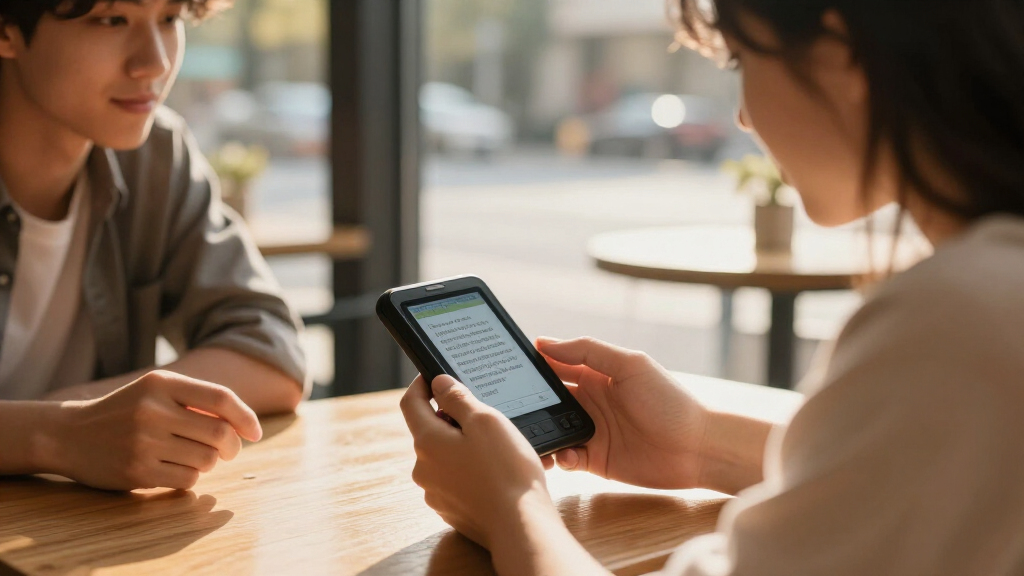

Electronic dictionary translators range from focused bilingual references to AI devices and scanning pens, so the best choice depends on whether you need reliable word lookup, spoken conversation, or help reading printed text. I name the Franklin MES-2400 my best overall pick for combining dictionary and multilingual translation functions, while the VORMOR A40 stands out for offline and photo translation, and the Contixo P1 for scanning text. The main tradeoff is between dedicated reference tools, which focus on defined language pairs and word lookup, and broader translators, whose features may depend on connectivity or support for specific languages. Reading pens can help with printed material, but they are not substitutes for live conversation translators. Continue reading for the full comparison and advice on choosing the right type.

Get school and study supplies delivered free — and shop member deals
- Fast, free delivery on millions of items
- Access to Prime Big Deal Days deals on October 6–7
- Prime Video, Amazon Music and more included
Key Takeaways
The lineup splits into three distinct jobs: dictionary-first handhelds for word lookup, AI devices for spoken or camera-based translation, and reading pens for printed text.
The Franklin MES-2400 is the most versatile reference pick in this group, while the simpler Franklin bilingual models make more sense when you mainly need English-Spanish support.
The VORMOR A40 and Z5 add offline and photo translation, but buyers should check which languages and functions work without a network before relying on them abroad.
Scanning pens such as the Contixo P1 and Scan Translator Reading Pen solve a different problem from pocket translators: they help read printed text rather than carry a two-way conversation.
Language coverage is not the same as dictionary depth: a device listing many translation languages may not offer the learner-focused definitions, examples, or dependable offline lookup of a dedicated dictionary.
| Franklin Collins English Digital Dictionary Express Edition |  | Best for English Vocabulary Building | Brand: Franklin | Model: DMQ-221 | Word entries: Over 118,000 | VIEW LATEST PRICE | See Our Full Breakdown |
| VORMOR AI Language Translator and Reading Pen |  | Best for Reading Printed Text | Scan speed: Up to 3,000 characters per minute | Online scan translation: 75 languages | Voice translation: 150 languages | VIEW LATEST PRICE | See Our Full Breakdown |
| Lexibook Collins English Dictionary, 13th Edition Electronic Dictionary, Blue/White (D850EN) |  | Best for English Reference Coverage | Dictionary edition: Collins English Dictionary, 13th Edition | Words, meanings, and phrases: 725,000 | Dictionary verbs: 8,000 | VIEW LATEST PRICE | See Our Full Breakdown |
| VORMOR A40 AI Language Translator Device with Offline and Photo Translation |  | Best for a Large Translator Screen | Online voice translation: 150 languages | Offline translation: 21 languages | Photo translation: 74 languages online; 40 offline | VIEW LATEST PRICE | See Our Full Breakdown |
| Contixo P1 Smart Scanning Translator Pen |  | Best for Multimode Translation in a Pen | Screen: 3.5-inch touchscreen | Camera: 5 MP | Online scanning translation: 61 languages | VIEW LATEST PRICE | See Our Full Breakdown |
| Lexibook Larousse French-English Electronic Dictionary |  | Best for French-English Study | Language pair: French-English | Dictionary content: Over 400,000 words, expressions, and translations | Americanisms: 3,000 | VIEW LATEST PRICE | See Our Full Breakdown |
| Franklin MDE-1200 Electronic Dictionary and Thesaurus |  | Best for English Word Choice | Headwords: 80,000 | Definitions: 250,000 | Synonyms: 15,000 | VIEW LATEST PRICE | See Our Full Breakdown |
| iFLYTEK AI Language Translator Device with 2-Year Global Data |  | Best for Connected Multilingual Travel | Online languages: 60 | Offline language packs: 18 | Photo translation: 50 languages | VIEW LATEST PRICE | See Our Full Breakdown |
| Z5 AI Language Translator Device with Voice, Offline, and Photo Translation |  | Best Compact Travel Translator | Online voice translation: Up to 143 languages | Offline translation: 17 languages; packages must be downloaded in advance | Photo translation: 74 languages online; 40 languages offline | VIEW LATEST PRICE | See Our Full Breakdown |
| Franklin BES-2400 Talking English-Spanish Bilingual Dictionary |  | Best Offline English-Spanish Study Aid | Languages: English and Spanish | Connectivity: Offline | Voice: Words and phrases spoken in a native human voice | VIEW LATEST PRICE | See Our Full Breakdown |
| Franklin MES-2400 Digital Talking Dictionary and Multilingual Translator |  | Best for Offline Multilingual Basics | Model: MES-2400 | Languages: English, Spanish, Italian, German, French | Translation: Offline | VIEW LATEST PRICE | See Our Full Breakdown |
| Franklin BES-2150 Speaking Merriam-Webster Spanish-English and Advanced Learner’s English Dictionary |  | Best for Spanish-English Study | Model: BES-2150 | Reference: Merriam-Webster Advanced Learner’s English Dictionary and Spanish-English/English-Spanish dictionary | Translations: Over 5 million | VIEW LATEST PRICE | See Our Full Breakdown |
| Franklin DBE-1200 Spanish-English Electronic Dictionary and Translator |  | Best Value for Offline Spanish-English Lookup | Languages: English and Spanish | Words: Over 150,000 | Translations: 1,000,000 | VIEW LATEST PRICE | See Our Full Breakdown |
| Franklin LV4-D English-Spanish Talking Bilingual Dictionary and Phrase Book |  | Best for Spoken Spanish Practice | Languages: English and Spanish | English-Spanish dictionary: 150,000 words; 1,000,000 translations | Spanish-English dictionary: 150,000 words; 1,000,000 translations | VIEW LATEST PRICE | See Our Full Breakdown |
| Scan Translator Reading Pen with Text-to-Speech, 142 Online and 10 Offline Languages |  | Best for Reading Printed Text | Model: S65pro | Online languages: 142 | Offline languages: 10 | VIEW LATEST PRICE | See Our Full Breakdown |
| electronic dictionary translator | Weight | Model |
|---|---|---|
| Franklin Collins English Digit | 180 g | DMQ-221 |
| VORMOR AI Language Translator | — | — |
| Lexibook Collins English Dicti | — | — |
| VORMOR A40 AI Language Transla | 100 g | A20 |
| Contixo P1 Smart Scanning Tran | — | — |
| Lexibook Larousse French-Engli | — | D880i1 |
| Franklin MDE-1200 Electronic D | 5 ounces | MDE1200 |
| iFLYTEK AI Language Translator | 14 ounces | — |
| Z5 AI Language Translator Devi | 6.4 ounces | — |
| Franklin BES-2400 Talking Engl | 10.5 ounces | BES2400 |
| Franklin MES-2400 Digital Talk | 10.5 ounces | MES-2400 |
| Franklin BES-2150 Speaking Mer | 6 ounces | BES-2150 |
| Franklin DBE-1200 Spanish-Engl | — | — |
| Franklin LV4-D English-Spanish | — | — |
| Scan Translator Reading Pen wi | 2.47 ounces | S65pro |
More Details on Our Top Picks
Franklin Collins English Digital Dictionary Express Edition
I’d choose the Franklin Collins Express Edition for English study rather than travel translation. Its 118,000-plus words and definitions give it a solid reference base, while the 500,000-synonym thesaurus helps users find alternatives when writing or expanding vocabulary. Phonetic spell correction and Confusables address common word-choice mistakes; custom lists and six games add ways to practice. Compared with the Lexibook Collins D850EN, this Franklin gives less dictionary coverage, but the stated thesaurus count and word games make vocabulary practice a clear focus. Its calculator, converters, and world clock are useful extras, not substitutes for live speech or camera translation. The main limitation is that battery and screen details are not provided, so I can’t judge visibility or expected runtime from the available information.
Pros:- Over 118,000 words, definitions, and phrases for English lookup
- Thesaurus lists 500,000 synonyms and antonyms
- Phonetic spell correction, Confusables, and custom word lists support study and writing
- Six word games plus calculator, converters, and world clock add practice and utility
Cons:- No speech, camera, or multilingual translation features are listed
- Battery type, runtime, and screen details are not provided
Best for: English learners and writers who want a portable dictionary, synonym support, and spelling practice in one device.
Not ideal for: Travelers who need spoken, photo, or offline multilingual translation; this model is described as an English reference tool rather than a language translator.
- Brand:Franklin
- Model:DMQ-221
- Word entries:Over 118,000
- Thesaurus entries:500,000 synonyms and antonyms
- Word games:6 games with 4 difficulty levels
- Weight:180 g
Our verdict“Choose this Franklin for English vocabulary and writing support, not for translating conversations or printed text between languages.”
VORMOR AI Language Translator and Reading Pen
For readers who encounter unfamiliar text on paper, I’d put the VORMOR Reading Pen ahead of a general handheld translator. It scans up to 3,000 characters per minute, then displays and speaks translations, making it useful for study materials or signs without typing each passage. Its 2.3-inch IPS screen keeps the device compact, while online voice translation covers up to 150 languages. Compared with the Contixo P1, VORMOR lists more online voice languages and a longer stated continuous-use time, but Contixo offers a larger 3.5-inch screen and built-in dictionary languages. VORMOR’s offline support covers 21 languages, and offline packages need advance downloads; some functions still depend on internet access. I’d pick it for scan-and-listen reading, not as a full-size screen alternative.
Pros:- Scans printed text at up to 3,000 characters per minute
- Displays translations and provides spoken output
- Online voice translation supports up to 150 languages
- Lightweight pen format includes offline translation for supported languages
Cons:- Offline translation is limited to 21 languages and packages must be downloaded ahead of time
- Some translation features require an internet connection
- The 2.3-inch screen is smaller than the Contixo P1’s 3.5-inch display
Best for: Language learners, students, and travelers who frequently need printed text scanned, read aloud, and translated.
Not ideal for: Buyers who want a larger touchscreen for extended reading, or who need every translation feature to work without internet access.
- Scan speed:Up to 3,000 characters per minute
- Online scan translation:75 languages
- Voice translation:150 languages
- Offline translation:21 languages
- Screen:2.3-inch IPS
- Battery capacity:820 mAh
- Continuous use:Up to 8 hours
- Camera:8 MP
Our verdict“Pick the VORMOR Reading Pen if scanning and listening to printed text matters more than having a large display.”
Lexibook Collins English Dictionary, 13th Edition Electronic Dictionary, Blue/White (D850EN)
The Lexibook Collins D850EN is the strongest choice here for people who want broad English reference coverage in a dedicated dictionary. Its 725,000 words, meanings, and phrases far exceed the Franklin Collins Express Edition’s stated 118,000-plus entries, and its tools reach beyond definitions: spellchecking, conjugation for more than 7,000 verbs, and a crossword solver support study and word puzzles. A four-line screen with magnification and large buttons may also suit users who prefer physical controls over the touchscreens on the VORMOR A40 and Contixo P1. That focus has limits: the supplied details do not list speech, scanning, or translation between languages. Battery type, runtime, screen size, and backlighting are also unspecified, so I’d choose it for English lookup, not travel communication.
Pros:- 725,000 words, meanings, and phrases provide broad English reference coverage
- Spellchecker, phonetic spell correction, thesaurus, and crossword solver support varied lookup needs
- Conjugation tools cover more than 7,000 verbs
- Four-line display, magnification, and large buttons support easier reading and navigation
Cons:- No speech, photo, or multilingual translation features are listed
- Battery type and battery life are unspecified
- Screen dimensions and backlighting are not provided
Best for: English students, crossword solvers, and reference users who value extensive definitions, spelling help, and verb conjugation.
Not ideal for: Travelers seeking speech, photo, or scanned-text translation, or buyers who require stated battery runtime and backlighting details.
- Dictionary edition:Collins English Dictionary, 13th Edition
- Words, meanings, and phrases:725,000
- Dictionary verbs:8,000
- Verb conjugation:More than 7,000 verbs
- Conjugation tenses:Simple present, simple past, present participle, past participle
- Screen:Four-line display with magnification
- Word games:Hangman, Word Jumble, Anagram
- Additional functions:Calculator, currency converter, unit converter, user list
Our verdict“Choose the D850EN for extensive English reference and study tools, but select a translator device if you need help communicating across languages.”
VORMOR A40 AI Language Translator Device with Offline and Photo Translation
I’d favor the VORMOR A40 when readable on-device interaction matters more than pen-style scanning. Its 5-inch touchscreen gives translated text more room than the VORMOR Reading Pen’s 2.3-inch display, while voice translation covers 150 languages and photo translation supports up to 74 online or 40 offline. Offline voice translation in 21 languages gives it a useful fallback, though packages need to be downloaded in advance and online functions require internet. Compared with the Contixo P1, the A40 has a larger screen and lists more offline photo languages; Contixo counters with a built-in dictionary and recording and text-extraction features. The A40’s 2000 mAh battery is rated for 6–8 hours, so frequent all-day use may call for charging breaks. Its listed model name and model number also differ.
Pros:- Five-inch touchscreen offers more room to read translations than compact pen displays
- Online voice translation supports 150 languages
- Photo translation works in up to 40 languages offline and 74 online
- Compact 100 g body combines a camera, touchscreen, and physical buttons
Cons:- Offline language packages must be downloaded before use
- Online translation features require internet access
- Stated battery life of 6–8 hours may require recharging during extended use
Best for: Travelers who want a handheld device with a large touchscreen for voice and camera-based translation, including some offline use.
Not ideal for: Readers who need a pen to scan lines of printed text, or users who cannot preload offline language packages and rely on internet-free operation.
- Online voice translation:150 languages
- Offline translation:21 languages
- Photo translation:74 languages online; 40 offline
- Display:5-inch touchscreen
- Camera:8 megapixels
- Battery capacity:2000 mAh
- Battery life:6–8 hours
- Weight:100 g
- Model:A20
Our verdict“Choose the A40 if you want a larger-screen travel translator with voice and photo translation, rather than a dedicated reading pen.”
Contixo P1 Smart Scanning Translator Pen
The Contixo P1 suits buyers who want one compact device for scanned text, photos, and spoken translation. Its 3.5-inch touchscreen is larger than the VORMOR Reading Pen’s 2.3-inch display, and the built-in dictionary covers Chinese, English, and Japanese. Recording and text extraction extend its usefulness beyond quick translation, particularly for students working with printed material. Compared with the VORMOR A40, the P1 keeps a pen-oriented scanning focus and adds those dictionary and recording tools; the A40 instead has a larger screen and supports more offline photo languages. Contixo lists online voice translation in 134 languages, but Wi-Fi is required for online features. Offline scanned-text and photo translation cover 28 and 29 languages respectively, so offline coverage is narrower than the online list. Battery life is rated up to six hours.
Pros:- Handles scanned text, photos, and speech translation
- 3.5-inch touchscreen is larger than the VORMOR Reading Pen’s display
- Includes recording, text extraction, and a dictionary in Chinese, English, and Japanese
- Lightweight design with USB Type-C charging
Cons:- Online translation features require Wi-Fi
- Offline scanned-text and photo translation cover 28 and 29 languages, fewer than the online voice list
- Battery life is rated for up to 6 hours
Best for: Students and travelers who want scanned-text translation, voice and photo features, plus recording and text extraction in a lightweight pen-style device.
Not ideal for: People who need broad offline language coverage or frequently translate online without access to Wi-Fi.
- Screen:3.5-inch touchscreen
- Camera:5 MP
- Online scanning translation:61 languages
- Online voice translation:134 languages
- Offline scanned-text translation:28 languages
- Offline photo translation:29 languages
- Built-in dictionary languages:Chinese, English, and Japanese
- Battery life:Up to 6 hours
- Connectivity and weight:Wi-Fi; 3.25 oz (101 g)
Our verdict“Pick the Contixo P1 for a compact scan-first translator with useful study tools, but not if broad offline coverage is your priority.”
Lexibook Larousse French-English Electronic Dictionary
The Lexibook Larousse is the strongest fit here for someone who needs a dedicated French-English reference, rather than a general-purpose travel translator. Its database covers over 400,000 words, expressions, and translations, and the extensive verb tables make it useful for checking conjugations as well as meanings. Compared with the Franklin MDE-1200, which focuses on English definitions and word-building, this Lexibook serves learners moving between two languages. Spelling checks, games, and conversion tools add useful study and everyday functions, though they do not replace conversational voice translation like the iFLYTEK AI Language Translator offers. The main compromise is the four-line display: it keeps the device compact but limits how much information is visible at once. I’d choose it for structured language study, not live travel conversations.
Pros:- Over 400,000 words, expressions, and translations for French-English lookup
- Extensive French and English verb conjugation tables
- Spelling tools and word games support study and practice
- Calculator, currency converter, and unit converter add practical utility
Cons:- Four-line display shows limited information at one time
- Designed for French-English reference rather than broad multilingual conversation
Best for: French or English learners who want broad bilingual lookup, spelling support, and detailed verb conjugations in a dedicated handheld device.
Not ideal for: Travelers who need spoken, two-way conversation translation or readers who want long entries displayed without frequent scrolling.
- Language pair:French-English
- Dictionary content:Over 400,000 words, expressions, and translations
- Americanisms:3,000
- French conjugations:Over 9,000 verbs in 10 tenses
- English conjugations:Over 8,000 verbs in 4 tenses
- Display:4-line display with magnifier function
- Functions:Spelling checker, calculator, currency and unit converters, memo list, and word games
- Model:D880i1
Our verdict“Choose the Lexibook for substantial French-English study resources, but pick the iFLYTEK if spoken travel translation matters more.”
Franklin MDE-1200 Electronic Dictionary and Thesaurus
The Franklin MDE-1200 is aimed at writers and English learners who need more than a definition: its dictionary and thesaurus tools also offer synonyms, antonyms, grammar lessons, and vocabulary practice. That makes it a better match for editing or test preparation than the Lexibook Larousse, whose strength is French-English lookup and conjugation. Crossword and anagram solvers give the MDE-1200 another practical angle, helping when a word is on the tip of your tongue. At just 5 ounces, it is easy to carry, and its zoomable 3-inch LCD helps make entries easier to read. The tradeoff is its English-only focus: unlike the Franklin BES-2400, it is not a bilingual English-Spanish reference, and it requires two AA batteries. I’d pick it for vocabulary work, not translation between languages.
Pros:- Combines 80,000 headwords with 250,000 definitions
- Thesaurus includes 15,000 synonyms and 12,000 antonyms
- Grammar lessons and vocabulary test-prep tools support study
- Word solvers and educational games offer extra practice
Cons:- English-focused reference does not provide a language pair for translation
- Requires two AA batteries
- The 3-inch screen is small for reading longer entries
Best for: English-language students, writers, and puzzle solvers who want definitions, synonym choices, grammar help, and vocabulary practice in a portable device.
Not ideal for: Bilingual learners or travelers who need translation between languages, or buyers who prefer a rechargeable device over replaceable AA batteries.
- Headwords:80,000
- Definitions:250,000
- Synonyms:15,000
- Antonyms:12,000
- Screen:3-inch zoomable LCD
- Weight:5 ounces
- Batteries:2 AA batteries required
- Model:MDE1200
Our verdict“Choose the MDE-1200 for portable English vocabulary and writing support, not for bilingual translation like the Franklin BES-2400.”
iFLYTEK AI Language Translator Device with 2-Year Global Data
The iFLYTEK is the most travel-oriented option in this group for buyers who want live voice translation across many languages. It supports 60 languages online, with two years of global data included, while its split-screen conversation mode gives each speaker a clear place to follow the exchange. Photo translation in 50 languages adds help with signs and menus. Compared with the Z5 AI Language Translator, iFLYTEK offers more offline language packs and a larger 5.05-inch touchscreen, but it weighs 14 ounces and is less pocket-friendly. Offline coverage is still limited to 18 language packs, and continuous use lasts up to six hours, so I would not treat it as a substitute for an all-day power bank or a full offline dictionary. It suits connected trips best; the Franklin dictionary devices are better for focused word study.
Pros:- Online translation supports 60 languages
- Includes 18 offline language packs and photo translation in 50 languages
- Split-screen mode makes face-to-face conversations easier to follow
- Two years of global data are included
Cons:- Continuous battery life is up to six hours
- Offline translation covers only 18 language packs
- At 14 ounces, it is heavier than the compact Z5
Best for: Frequent international travelers who want a larger-screen conversation translator, photo translation, and included mobile data across multiple destinations.
Not ideal for: Light packers seeking a small pocket device, or travelers who need extended continuous use or broad offline coverage without internet access.
- Online languages:60
- Offline language packs:18
- Photo translation:50 languages
- Display:5.05-inch HD touchscreen
- Storage:16GB
- Battery life:Up to 6 hours of continuous use
- Global data:2 years included
- Weight:14 ounces
- Warranty:12 months
Our verdict“Choose iFLYTEK for connected, face-to-face translation with a larger screen, and choose the Z5 if lower weight matters more.”
Z5 AI Language Translator Device with Voice, Offline, and Photo Translation
The Z5 brings voice, photo, and offline translation together in a 6.4-ounce handheld, making it the easier travel companion to carry compared with the larger iFLYTEK. Online voice translation supports up to 143 languages, while the camera can translate text in 74 languages online or 40 offline. That mix gives it broader listed online voice coverage than iFLYTEK, but iFLYTEK has a larger screen and more offline language packs. The Z5’s 3-inch touchscreen and physical buttons keep the controls straightforward, though the smaller display leaves less room for text than iFLYTEK’s 5.05-inch panel. Offline use also takes preparation: language packages must be downloaded in advance, and online functions need internet access. I’d pick it for travelers who value a lighter all-in-one translator over a larger conversation screen.
Pros:- Online two-way voice translation supports up to 143 languages
- Photo translation covers 74 languages online and 40 offline
- Compact 6.4-ounce design combines touchscreen and physical buttons
- Currency and unit conversion add useful travel functions
Cons:- Offline language packages must be downloaded before travel
- Online translation features require internet access
- The 3-inch screen is smaller than the iFLYTEK’s 5.05-inch display
Best for: Travelers who want voice and camera translation in a lightweight device, with offline language packages available for advance download.
Not ideal for: People who need the largest screen for shared conversations or expect online translation to work without an internet connection.
- Online voice translation:Up to 143 languages
- Offline translation:17 languages; packages must be downloaded in advance
- Photo translation:74 languages online; 40 languages offline
- Screen:3-inch HD touchscreen
- Camera:8-megapixel rear camera
- Weight:6.4 ounces
- Battery:1 lithium-ion battery, included
- Additional functions:Recording, currency conversion, and unit conversion
Our verdict“Choose the Z5 for a lighter voice-and-photo translator, but choose iFLYTEK for a larger screen and more offline packs.”
Franklin BES-2400 Talking English-Spanish Bilingual Dictionary
The Franklin BES-2400 is a focused choice for learners who want an offline English-Spanish dictionary that speaks. Its human-voice pronunciation, phrase lookup, spelling correction, and proficiency tests make it more useful for guided language practice than the English-only Franklin MDE-1200. It also includes medical and drug dictionary content, which can help users look up relevant terms without relying on a network connection. Compared with the Lexibook Larousse, it serves a different pair and emphasizes spoken pronunciation and phrases rather than extensive verb-conjugation counts. The tradeoff is scope: it is limited to English and Spanish, and the supplied product details do not specify entry counts, screen size, or battery life. I’d favor it for learners who value spoken examples and offline access over broad multilingual travel translation.
Pros:- Works offline for lookup without an internet connection
- Native human voice speaks words and phrases
- Includes phrase lookup, pronunciation help, and spelling correction
- Proficiency tests and medical and drug dictionary content extend its study use
Cons:- Limited to English and Spanish
- Does not list voice translation across multiple language pairs or photo translation
- Product details do not specify battery life or screen size
Best for: English- or Spanish-speaking learners who want offline dictionary and phrase lookup with spoken pronunciation and proficiency practice.
Not ideal for: Multilingual travelers who need many language pairs, photo translation, or live online conversation features.
- Languages:English and Spanish
- Connectivity:Offline
- Voice:Words and phrases spoken in a native human voice
- Features:Talking dictionary, phrase book, medical and drug dictionary, spelling correction, pronunciation help, and proficiency tests
- Package dimensions:6.69 x 6.38 x 1.26 inches
- Weight:10.5 ounces
- Model:BES2400
Our verdict“Choose the BES-2400 for offline English-Spanish practice with spoken pronunciation, not for the wider travel coverage of the iFLYTEK.”
Franklin MES-2400 Digital Talking Dictionary and Multilingual Translator
I’d choose the MES-2400 when offline access across several familiar European languages matters more than a large feature set. It translates English, Spanish, Italian, German, and French without a connection, and its spoken pronunciation gives learners an audible reference alongside spell correction for words they cannot quite spell. That makes it more flexible across languages than the Spanish-English-only Franklin DBE-1200. The tradeoff is breadth: five languages may cover common study or travel needs, but it leaves out many destinations and the supplied details do not list the extensive study tools found on Franklin’s BES-2150. Its compact, tactile design favors direct word lookup over phone-like versatility. I’d shortlist it for learners who want a dedicated, simple offline translator, but skip it if broad language coverage is the priority.
Pros:- Offline translation across five languages
- Native human-voice pronunciation for words and phrases
- Phonetic and typographical spell correction helps recover unfamiliar words
- Portable design with a tactile keypad
Cons:- Language selection is limited to English, Spanish, Italian, German, and French
- Fewer documented study and reference extras than the Franklin BES-2150
Best for: Language learners and travelers who want spoken offline lookup among English, Spanish, Italian, German, and French.
Not ideal for: People traveling beyond those five languages or shoppers who want a large phrase library and extra study tools.
- Model:MES-2400
- Languages:English, Spanish, Italian, German, French
- Translation:Offline
- Pronunciation:Native human voice for words and phrases
- Spell correction:Phonetic and typographical
- Package dimensions:6.61 x 6.38 x 1.14 inches
- Weight:10.5 ounces
Our verdict“Choose the MES-2400 for straightforward spoken, offline lookup in five European languages, not for broad language coverage or an extensive study suite.”
Franklin BES-2150 Speaking Merriam-Webster Spanish-English and Advanced Learner’s English Dictionary
The BES-2150 is the strongest fit here for a learner who wants a substantial Spanish-English reference paired with English-language study aids. Its over 5 million translations, verb conjugations, thesaurus, and spoken words and phrases offer more structured practice than the simpler offline translation focus of the MES-2400. The 4,800 spoken phrases and interactive quizzes also make it useful for building vocabulary rather than checking a single word and putting the device away. Its extras—calculators, converters, clocks, and a backlight—add reference utility, though they do not replace broad multilingual coverage. It is limited to Spanish and English, runs on two non-rechargeable AAA batteries, and its size may be awkward for a pocket. I’d pick it for focused Spanish study, not for a traveler needing several destination languages.
Pros:- More than 5 million Spanish-English translations and verb conjugations
- Spoken pronunciation for words and 4,800 phrases
- Quizzes and customizable vocabulary lists support active study
- Adds a thesaurus, calculators, converters, world clock, and backlight
Cons:- Limited to Spanish-English reference
- Requires two non-rechargeable AAA batteries
- May feel bulky for pocket use and offers only three adjustable font sizes
Best for: Spanish learners who want spoken vocabulary, verb forms, quizzes, and a substantial English-Spanish reference in one handheld device.
Not ideal for: Multilingual travelers or pocket-first buyers who want rechargeable power and a slimmer carry.
- Model:BES-2150
- Reference:Merriam-Webster Advanced Learner’s English Dictionary and Spanish-English/English-Spanish dictionary
- Translations:Over 5 million
- Spoken content:Words and 4,800 phrases
- Study features:Verb conjugations, thesaurus, interactive quizzes, customizable vocabulary lists
- Additional tools:Calculators, currency and metric converters, world clock, backlight
- Dimensions:3 x 4 x 0.75 inches
- Weight:6 ounces
- Power:2 AAA batteries, non-rechargeable
Our verdict“Pick the BES-2150 for Spanish-English study tools and spoken practice; choose the MES-2400 instead if you need offline support across more languages.”
Franklin DBE-1200 Spanish-English Electronic Dictionary and Translator
For a dedicated two-language reference, the DBE-1200 puts useful depth into a compact offline device: more than 150,000 words, one million translations, 250,000 definitions, and a 7,000-entry phrasebook. Those figures make it a more dictionary-oriented choice than the scanning S65pro, which is built to read and translate printed text rather than serve as a detailed bilingual reference. The DBE-1200 also adds a thesaurus, spell checking, grammar tools, test-prep vocabulary, and word games, giving learners ways to use it beyond quick translation. Its zoomable 3-inch display can help with readability, though the screen remains small. The main constraint is firm language specialization: it only covers English and Spanish, and battery operation means carrying replacements or keeping spares on hand.
Pros:- Works offline without Wi-Fi or subscriptions
- Combines one million translations with 250,000 definitions
- Includes a 7,000-entry phrasebook, thesaurus, and spell checking
- Grammar, test-prep, and word-game tools broaden its study use
Cons:- Limited to English and Spanish
- Battery-operated, so users need to supply batteries
- The 3-inch display may feel cramped for extended reading
Best for: English- and Spanish-speaking students who want an offline handheld dictionary with definitions, phrasebook content, and study tools.
Not ideal for: Travelers who need languages beyond English and Spanish or people who want printed-text scanning and text-to-speech.
- Languages:English and Spanish
- Words:Over 150,000
- Translations:1,000,000
- Definitions:250,000
- Phrasebook:7,000 entries
- Display:3-inch zoomable LCD
- Connectivity:Offline; no Wi-Fi required
- Power:Battery-operated
- Features:Thesaurus, spell checker, grammar tools, test-prep vocabulary, word games and solvers
Our verdict“Choose the DBE-1200 for a deep offline English-Spanish reference and study toolkit, but choose the MES-2400 for more language options.”
Franklin LV4-D English-Spanish Talking Bilingual Dictionary and Phrase Book
The LV4-D is aimed at learners who need to hear and practice language, not just retrieve a translation. Its human-voice pronunciation, adjustable playback speed, and pronunciation recording give it a more active speaking focus than the reference-heavy DBE-1200. The 7,000-phrase book, lessons, tests, and grammar content also make it a study companion for English and Spanish, while USB and microSD support allow language-pack expansion. That expansion is a point of difference from the fixed five-language MES-2400, although the supplied details do not specify which additional packs are available. The monochrome 4.5-inch display is larger by diagonal than the DBE-1200’s screen, but remains a basic display. At 1.1 pounds, this is less appealing for buyers seeking a very light pocket device.
Pros:- Includes English-Spanish and Spanish-English dictionaries with one million translations each
- 7,000 phrases plus lessons, tests, and grammar support regular practice
- Human-voice pronunciation has adjustable playback speed
- Pronunciation recording and USB/microSD support add practice and expansion options
Cons:- Small monochrome display limits visual comfort compared with larger modern screens
- Requires two AAA batteries
- Listed weight of 1.1 pounds makes it less convenient for pocket carry
Best for: English-Spanish learners who want spoken practice, adjustable pronunciation playback, and structured lessons alongside dictionary lookup.
Not ideal for: Buyers who prioritize a lightweight carry, a color screen, or clearly specified built-in coverage beyond English and Spanish.
- Languages:English and Spanish
- English-Spanish dictionary:150,000 words; 1,000,000 translations
- Spanish-English dictionary:150,000 words; 1,000,000 translations
- Phrase book:7,000 phrases
- Display:4.5-inch monochrome LED-backlit LCD, 320 x 160 dots
- Connectivity:USB and microSD card
- Power:2 AAA batteries, included
- Package dimensions:6.57 x 6.38 x 1.61 inches
- Item weight:1.1 pounds
Our verdict“Choose the LV4-D for spoken English-Spanish practice and phrase learning, but skip it if portability matters more than its study features.”
Scan Translator Reading Pen with Text-to-Speech, 142 Online and 10 Offline Languages
The S65pro scanning pen serves a different job from the Franklin handheld dictionaries: it is built to capture text from a page, read it aloud, and translate text or photos. That makes it the better match for students working through printed material, while the DBE-1200 offers a more traditional bilingual lookup with definitions, a phrasebook, and grammar tools. The headline reach is 142 online languages and 10 offline languages, but online features depend on a connection, and some functions require Bluetooth. Its 2.47-ounce body is far lighter than the Franklin LV4-D, favoring quick scanning on the go. Buyers should also note its limitations: Japanese recognition works only with horizontal text, and the product is explicitly unsuitable for blind users. It is a reading aid, not a general replacement for a dedicated dictionary.
Pros:- Scans printed text, extracts it, and reads it aloud
- Offers online translation in 142 languages and offline translation in 10
- Can translate text from photos
- Lightweight design includes note-taking and recording features
Cons:- Some functions require a Bluetooth connection
- Japanese text recognition works only with horizontal text
- Not suitable for blind users
Best for: Students and language learners who need to scan printed passages, hear text aloud, and translate across a wide range of languages.
Not ideal for: Blind users, people who need dependable offline support for all 142 languages, or readers scanning vertical Japanese text.
- Model:S65pro
- Online languages:142
- Offline languages:10
- Functions:Printed-text scanning, text extraction, text and photo translation, text-to-speech
- Additional features:Voice translation, note-taking, recording
- Dimensions:5.5 x 1.5 x 0.4 inches
- Weight:2.47 ounces
- Battery:1 included lithium polymer battery
- Recognition limitation:Japanese text recognition supports horizontal text only
Our verdict“Choose the S65pro to scan and hear printed text across many languages, but select a Franklin dictionary for deeper offline word-reference tools.”
How We Picked
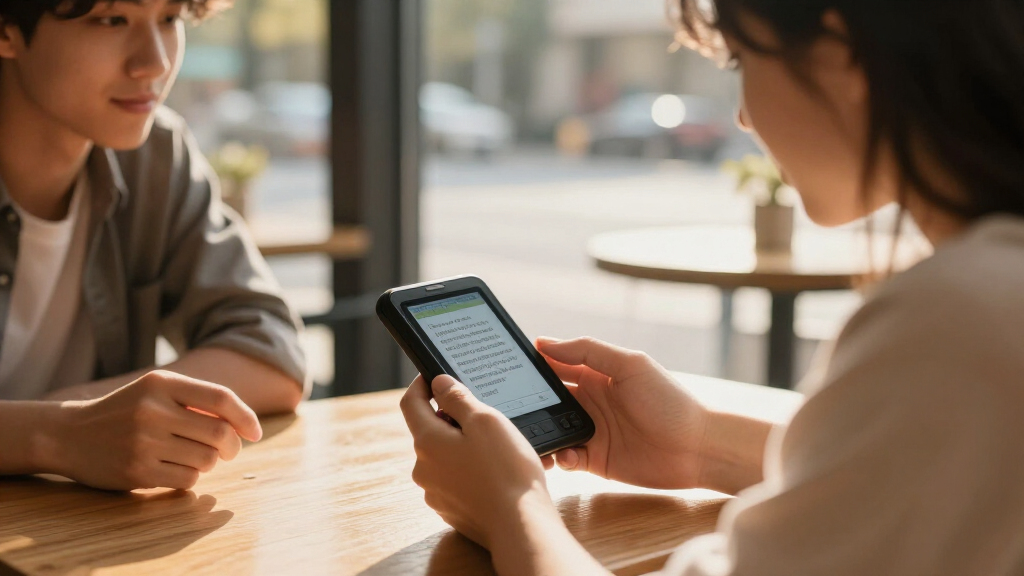
I compared these 15 devices by the job they are designed to do: reference lookup, bilingual study, spoken translation, or reading printed text. I gave weight to language and mode fit, offline usefulness, ease of operating the device, and whether its functions match a clear buyer need. For translation devices, I also considered the practical distinction between voice, photo, and offline modes; for pens and dictionaries, I prioritized the value of their focused reading or reference role.
The ranking favors products that cover more likely needs without obscuring their limitations. That puts the Franklin MES-2400 first for its dictionary-and-translation remit, while focused Franklin and Lexibook models rank lower for buyers who need a narrower language pair or reference function. AI translators and reading pens earn their places when their particular mode is the buyer’s priority, not simply because they advertise more languages. I also treated connectivity, language-pair specificity, and the difference between printed-text scanning and conversation as real selection tradeoffs.
Factors to Consider When Choosing Electronic Dictionary Translators
Before choosing among electronic dictionary translators, decide what you need the device to do repeatedly—not what its feature list says it can do once. A reference tool, an AI translator, and a reading pen can all help with language, but they solve different problems.
Choose the Main Job Before Comparing Features
Start by naming your most frequent task: looking up a word while studying, speaking with someone, or reading printed material. A handheld dictionary is built around fast reference and may suit classroom or desk use better than a conversation-focused translator. Voice translators are designed for spoken exchanges, while scanning pens target text on a page or sign. A common mistake is treating every device with translation in its name as interchangeable. If you need two-way conversation, a reading pen will not fill that role; if you need careful definitions, a camera translator may not replace a dictionary. Let the main task determine which product family you compare.
Check Your Exact Languages and Language Direction
Check that the device supports the languages you need in both directions, not just one broad language count. A learner moving between English and Spanish may benefit more from a dedicated bilingual reference than from a device listing many less relevant languages. Also check whether voice, photo, and offline functions each support the same languages; feature coverage can differ by mode. Buyers often mistake a large language list for strong support in every situation. If you travel across several countries, broad coverage may matter, but verify the specific language pairs before departure. For one regular pair, focused dictionaries can be the more straightforward match.
Treat Offline Support as a Specific Feature to Verify
Offline capability matters when you expect weak reception, want to avoid using mobile data, or need translation during a flight or remote trip. Do not assume that a device advertised as offline can perform every task without a connection. Voice recognition, photo translation, dictionary lookup, and language downloads may have separate requirements. Before buying, check which languages can be used offline and whether they need to be downloaded or activated first. A device with fewer offline functions may still be a better choice if its connected features match your regular use. For travel, plan around the mode you will actually need when you have no signal.
Match the Input Method to the Situation
Voice, camera, and scanning inputs suit different environments. Voice translation can help with short exchanges, but background noise, accents, and turn-taking can affect how smoothly a conversation works. Photo translation is useful when text is printed on a menu or sign, though small type, unusual layouts, and poor lighting can make capture harder. A reading pen can be useful for scanning lines in books or documents, but it requires direct access to the text and a steady pass across the page. Think about whether you will be standing in a busy street, studying at a desk, or reading a paper document. The right input method can matter more than the total number of advertised features.
Decide Whether You Need a Dictionary or a Translation
A translation gives a possible equivalent, while a dictionary can provide definitions and help distinguish meanings. That difference matters for language learners, writers, and anyone trying to understand how a word works in context. A broad AI translator may be convenient for practical travel phrases but may not offer the reference detail needed for study. Conversely, a dedicated dictionary may be less useful when you need a spoken exchange handled quickly. Avoid paying for overlapping functions if one device will do the job you actually need. Choose reference depth for learning and everyday translation modes for quick communication.
Factor in Setup, Reading Comfort, and Ongoing Use
Think past the initial feature list and ask how the device will fit into your routine. A handheld reference tool needs controls and a display you can use repeatedly; a pen depends on comfortable scanning and access to the page; an AI device may need setup, charging, or connectivity before a trip. Check how easily you can find a word, switch languages, or start a translation without consulting instructions each time. For school use, consider whether the device’s focused role supports the student’s work rather than distracting with unrelated functions. For travel, practice the key modes before leaving rather than learning them at a border or restaurant. A simpler tool that fits your habits can be more useful than a feature-rich device you rarely operate.
Frequently Asked Questions
Should I choose a dedicated electronic dictionary or an AI translator?
Choose a dedicated dictionary if your main need is looking up words, studying definitions, or working with a regular language pair. An AI translator makes more sense when spoken exchanges or camera-based translation are your priority. The devices in this roundup show that these categories overlap only partly: a dictionary-focused model is not automatically a conversation tool, and a translator’s language count does not guarantee dictionary-style reference depth. If you need both, compare whether the device explicitly supports both jobs in the languages you use. Avoid choosing by the word “translator” in a product name alone.
Can I rely on an electronic translator when I have no internet connection?
Only if the exact language and function you need are available offline. Some devices offer offline support for selected languages, while other modes may require a connection. Check whether voice, photo, and text translation work offline separately, and whether language packs must be installed in advance. A dedicated dictionary can be a steadier choice for word lookup when connectivity is uncertain, but it may not handle live conversation. Test the offline mode before travel rather than assuming every advertised feature works without a network.
Is a reading pen a good substitute for a handheld translator?
No, not if you need to speak with another person. Reading pens are intended to scan printed text, which can help with books, documents, or other text that the pen can pass over. A handheld voice translator is aimed at spoken exchanges, and a camera translator can work with text that is awkward to scan directly. Pens also depend on the text being accessible and on your ability to scan it cleanly. Choose one for reading support, not as an all-purpose travel translator.
What should I verify before buying a device for a specific language pair?
Verify that your exact pair is supported in the direction you need, such as English to Spanish and Spanish to English. Then check that the pair works in the modes you plan to use: dictionary lookup, speech, photo translation, or offline use. Product descriptions may present a broad language count without making clear that every mode covers every language. If you need a language for study, check for reference features rather than relying on translation alone. For an occasional trip, confirm the key phrases or offline options before you depend on the device.
Is it worth choosing a model with more translation modes if I only need one?
Not necessarily. Extra modes can be useful if your routine includes both spoken conversation and printed text, but they add little if you only need a dependable English-Spanish reference. A simpler dedicated device may be easier to operate and better aligned with a focused task. On the other hand, travelers moving between different situations may value voice and photo translation in one device. Base the choice on repeated use, not on the longest feature list. If you cannot name when you would use a mode, it may not justify making that feature a priority.
Conclusion
For the broadest mix of reference and translation functions in this lineup, I recommend the Franklin MES-2400 as best overall. The Franklin DBE-1200 or Lexibook Larousse French-English Electronic Dictionary make more sense as focused value-style choices when their language pair matches your needs; check the specific functions before deciding. For beginners, I’d start with a dedicated dictionary in the language pair they are learning, rather than a broad AI device with modes they may not use. Buyers seeking a premium-style travel feature set should compare the VORMOR A40 and iFLYTEK translator around offline needs, voice use, and setup requirements, rather than assuming one is best for everyone. For printed text, choose a scanning pen such as the Contixo P1; for quick bilingual reference, favor a dedicated Franklin or Lexibook model. Match the device to the task you expect to perform most often.
Halloween Picks
halloween
As an affiliate, we earn on qualifying purchases.