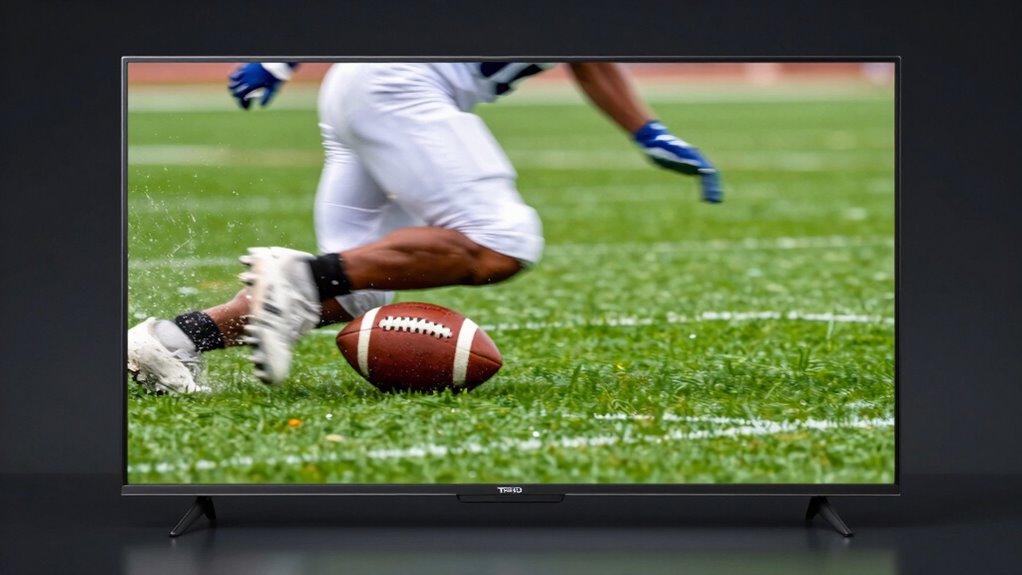

A high refresh rate, measured in Hertz (Hz), means your TV updates images more frequently, resulting in smoother motion—perfect for sports and gaming. It helps reduce blur during fast-paced action and makes fast-moving objects clearer. A higher refresh rate also lowers input lag, giving you quicker responses in games. Turning off motion smoothing can improve your experience further. Want to know how to choose the best TV for your needs? Keep exploring to find out more.

Prime made for students and young adults
- Fast, free delivery for dorm and study essentials
- Prime Video and Amazon Music included
- Member-only deals
Key Takeaways
- Higher refresh rates (e.g., 120Hz or more) provide smoother motion for fast-paced sports and gaming scenes.
- Increased refresh rates reduce motion blur, making fast-moving objects clearer and more detailed.
- Faster refresh rates help decrease input lag, improving responsiveness for gaming.
- Motion smoothing features can create unnatural effects and are often best turned off for sports and gaming.
- Choosing a TV with a high refresh rate and low input lag enhances overall viewing and gaming performance.

When choosing a TV for sports or gaming, understanding refresh rate is essential because it directly affects how smooth and clear the action appears. Refresh rate, measured in Hertz (Hz), indicates how many times per second the image on your screen updates. A higher refresh rate generally means smoother motion, which is particularly important when watching fast-paced sports or playing dynamic video games. With a higher refresh rate, you’ll notice less motion blur and choppiness, making it easier to follow fast-moving objects like a football flying through the air or a racing car speeding around a track. Additionally, some TVs incorporate motion smoothing features to artificially enhance perceived refresh rates, which can sometimes detract from the authenticity of the viewing experience. While motion smoothing can make movies and TV shows look smoother, it can sometimes create an unnatural “soap opera” effect that distracts from the intended visual experience. When it comes to sports and gaming, you might want to turn off motion smoothing to enjoy a more authentic and immersive experience. Turning it off reduces the “auto-motion” effect and can help you see the true motion without artificial enhancements, which is especially vital if you’re trying to analyze plays or get a competitive edge in gaming. Input lag is another critical factor affected by refresh rate. Input lag refers to the delay between pressing a button or moving a controller and seeing that action reflected on your screen. A higher refresh rate can help reduce input lag, providing a more responsive gaming experience. For fast-paced games, even a slight delay can mean the difference between winning and losing. So, look for a TV with a high refresh rate and low input lag specifications if gaming responsiveness is a priority. Some modern gaming TVs are designed specifically to minimize input lag, offering a smoother, more immediate response to your commands. Additionally, refresh rate itself can be influenced by the TV’s overall display technology, impacting how well it handles rapid motion sequences. Moreover, understanding the display technology used in a TV can further enhance your experience by ensuring better image quality and motion handling. Being aware of these factors can help you choose a TV that not only meets your visual preferences but also improves your overall gaming performance.
As an affiliate, we earn on qualifying purchases.
Frequently Asked Questions
How Does Motion Interpolation Affect Sports Viewing?
Motion interpolation, or motion smoothing, enhances sports viewing by making fast-paced action appear smoother and more fluid. It reduces motion blur and artifacts, giving you clearer images during rapid movements. However, some viewers find the effect unnatural or distracting, especially with certain sports. You can usually adjust or turn off motion smoothing settings on your TV to find the balance that best suits your viewing preferences, ensuring a more enjoyable experience.
Is a Higher Refresh Rate Noticeable on Larger Screens?
Imagine your screen as a vast canvas where every flicker paints a clearer story. On larger screens, a higher refresh rate acts like a steady heartbeat, delivering smoother motion and preventing visual chaos, especially during fast-paced sports and gaming scenes. With increased screen size, the difference in visual clarity becomes more noticeable, making motion look more fluid and immersive. So, yes, a higher refresh rate considerably enhances your viewing experience on bigger screens.
Can a Tv’s Refresh Rate Be Improved Externally?
You can’t typically improve a TV’s refresh rate externally. External upgrades or devices can’t change the inherent refresh rate, but some TVs support refresh rate enhancement features like motion smoothing or interpolation. These features simulate higher refresh rates, offering a smoother picture. However, for true refresh rate improvements, you need to select a TV with a higher native refresh rate, as external devices can’t modify the actual refresh rate of your existing TV.
What’s the Difference Between Native and Effective Refresh Rates?
Your native refresh rate is the actual number of times your TV updates each second, like 60Hz or 120Hz. The effective refresh rate, however, shows how well the TV handles motion, often using techniques to improve screen flicker and smoothness. If your TV has high native refresh rates but uses motion interpolation, the effective rate may be higher. Ensuring refresh rate compatibility helps you enjoy fluid motion, especially during sports or gaming.
Do All Gaming Consoles Support High Refresh Rate TVS?
Coincidentally, not all gaming consoles support high refresh rate TVs. While newer consoles like Xbox Series X and PlayStation 5 support 120Hz, older models often max out at 60Hz. This impacts gaming latency and frame consistency, making gameplay smoother on compatible TVs. Before buying, check your console’s specs and the TV’s refresh rate to guarantee you get the best experience, especially for fast-paced games.
Conclusion
In the end, choosing the right refresh rate can subtly elevate your sports and gaming experiences, making every moment feel just a bit more vivid and seamless. While it might seem like a small detail, it’s like fine-tuning a musical instrument—helping everything come together more harmoniously. Paying attention to this feature guarantees you’re not missing out on the most immersive, action-packed moments. After all, sometimes the little touches make the biggest difference.
Halloween Picks
halloween
As an affiliate, we earn on qualifying purchases.