
If you’re choosing a PC for both gaming and productivity in your household, a hybrid system might suit you best. Gaming PCs excel with high-end graphics, RGB lighting, and VR readiness, while productivity PCs focus on stability, multitasking, and reliability for work tasks like editing or data analysis. A hybrid provides a good balance, supporting high performance for gaming and professional work. Want to discover which options fit your needs best? Keep exploring to find out more.
Key Takeaways
- Hybrid PCs offer a balanced mix of high-end graphics for gaming and reliable performance for productivity tasks.
- Gaming PCs prioritize immersive visuals, high frame rates, and RGB aesthetics, suitable for entertainment and VR use.
- Productivity PCs focus on stability, multitasking, and long-term reliability, ideal for demanding work applications.
- Compatibility features like VR readiness are essential for both gaming and professional virtual collaboration.
- Customization options, including RGB lighting and hardware choices, allow households to tailor systems for both purposes.

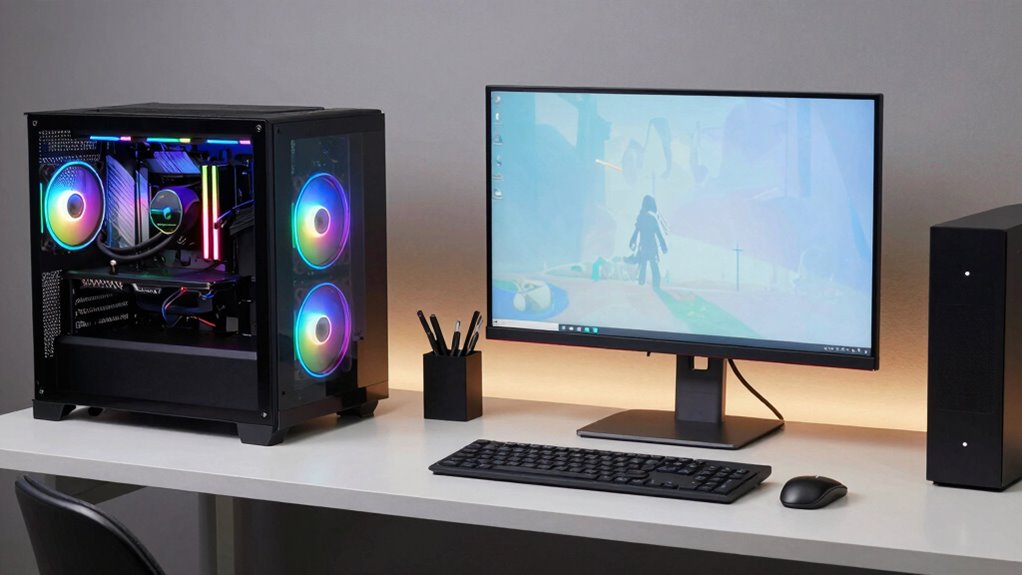
When choosing between gaming PCs and productivity PCs, it’s important to understand that each is optimized for different tasks. If you’re managing a household where gaming and work need to coexist, you’ll want a machine that balances both needs without compromise. Gaming PCs often come loaded with features like high-end graphics cards, powerful processors, and eye-catching aesthetics such as RGB lighting, making them ideal for immersive experiences. These PCs usually prioritize high frame rates and smooth visuals, which means they’re well-suited for gaming and virtual reality (VR) compatibility. If you enjoy VR gaming or plan to do any VR work, investing in a gaming PC with VR readiness ensures you won’t face lag or compatibility issues. RGB lighting isn’t just about style; it enhances the gaming environment, allowing you to customize your setup and create an immersive atmosphere that matches your gaming or entertainment aesthetic.
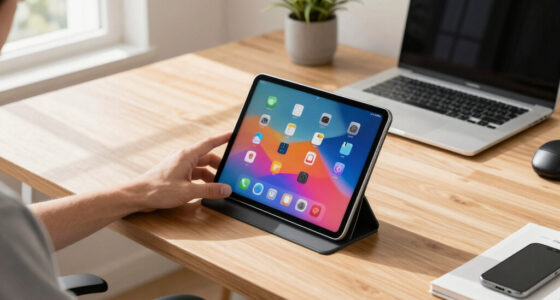
On the other hand, productivity PCs focus on stability, multitasking, and long-term reliability. They’re designed to handle demanding work tasks like video editing, graphic design, or complex calculations efficiently. These systems might not have the flashy RGB lighting or the cutting-edge graphics cards found in gaming setups, but they deliver consistent performance for professional applications. If your household’s use cases include software development, data analysis, or document management, a productivity PC provides the reliability you need. However, some productivity PCs also include features like good VR compatibility, especially if virtual collaboration or immersive presentations are part of your work routine. While they may lack the aesthetic flair of gaming PCs, many modern productivity systems can still support VR hardware if configured properly, making them versatile for both work and entertainment.
Ultimately, the key is finding a middle ground that suits your household’s mixed-use needs. Look for a PC that offers a capable GPU and CPU, sufficient RAM, and fast storage, whether you lean toward gaming or productivity. You can also customize your setup with RGB lighting if you want a gaming-inspired look, even if your core tasks are professional. Some manufacturers now produce hybrid systems designed to handle gaming and productivity equally well, giving you the flexibility to switch between work and play effortlessly. By focusing on core performance specs and compatibility features like VR readiness, you’ll ensure your household PC serves both purposes without sacrificing one for the other.

Lenovo Legion Tower 5i – AI-Powered Gaming PC – Intel® Core Ultra 7 265F Processor – NVIDIA® GeForce RTX™ 5070 Ti Graphics – 32 GB Memory – 1 TB Storage – 3 Months of PC GamePass
- Processor: Intel Core Ultra 7 265F
- Graphics Card: NVIDIA GeForce RTX 5070 Ti
- Memory: 32 GB RAM
As an affiliate, we earn on qualifying purchases.
As an affiliate, we earn on qualifying purchases.
Frequently Asked Questions
How Do Cooling Solutions Differ Between Gaming and Productivity PCS?
Gaming PCs typically have advanced cooling solutions, like liquid cooling or larger air coolers, to handle high thermal performance during intense gaming sessions. They often prioritize lower noise levels to keep the experience immersive. Productivity PCs usually have simpler cooling systems since they don’t generate as much heat. Both systems aim to balance thermal performance and noise, but gaming setups lean more toward enhanced cooling to support overclocking and prolonged use.
Are Gaming PCS More Upgradeable Than Productivity PCS?
Gaming PCs are generally more upgradeable than productivity PCs because they often feature better GPU compatibility, allowing you to swap in the latest graphics cards easily. Plus, gaming builds tend to prioritize aesthetic customization, making it simpler to upgrade or change components for both performance and style. You’ll find more room and flexibility in gaming cases, which encourages upgrades and personalization, making your system more adaptable over time.
What Are the Cost Differences for Maintenance and Repairs?
You’ll find that maintenance and repair costs differ based on hardware durability and warranty coverage. Gaming PCs often have more powerful components that might need frequent upgrades or repairs, increasing costs. Productivity PCs usually feature more durable hardware designed for longevity, potentially reducing repair expenses. Warranty coverage can offset repair costs, but gaming setups may have limited warranties on high-end parts. Overall, expect higher maintenance costs with gaming PCs due to their demanding hardware.
Do Gaming PCS Have Better Audio Features Than Productivity PCS?
You might think gaming PCs have better audio features, and in some cases, they do. They often come with enhanced audio quality and sound customization options to create immersive experiences. However, productivity PCs focus on clear, accurate sound for work tasks. If you crave rich audio for gaming and entertainment, a gaming PC’s sound features can elevate your experience. But for straightforward tasks, a productivity PC’s audio quality usually suffices.
Which Type Consumes More Power During Typical Use?
During typical use, gaming PCs generally consume more power than productivity PCs because they have high-performance components like powerful GPUs and faster processors. Gaming setups prioritize high graphics and processing power, which leads to increased energy consumption. To optimize energy efficiency, you can adjust settings or choose components designed for lower power use. Ultimately, gaming PCs demand more power, especially under load, compared to productivity-focused machines.
Conclusion
In the end, whether you choose a gaming PC or a productivity powerhouse, you’ll find yourself juggling tasks like a circus performer—except instead of clowns, it’s high-end graphics and spreadsheet tabs. Ironically, the “perfect” machine might just turn into a chaotic blend of both worlds, leaving you wondering if you bought a gaming rig or a desktop that doubles as a paperweight. After all, in a mixed-use household, flexibility is the real game-changer.