📊 Full opportunity report: Best Quiet Case Fans + the Airflow Setup That Actually Works on ThorstenMeyerAI.com — validation score, market gap, and execution plan.

Prime made for students and young adults
- Fast, free delivery for dorm and study essentials
- Prime Video and Amazon Music included
- Member-only deals
TL;DR
This article identifies the best quiet case fans for 2026, emphasizing larger, slower-moving fans for optimal airflow and minimal noise. It also details airflow setups proven to improve cooling efficiency in high-power workstations.
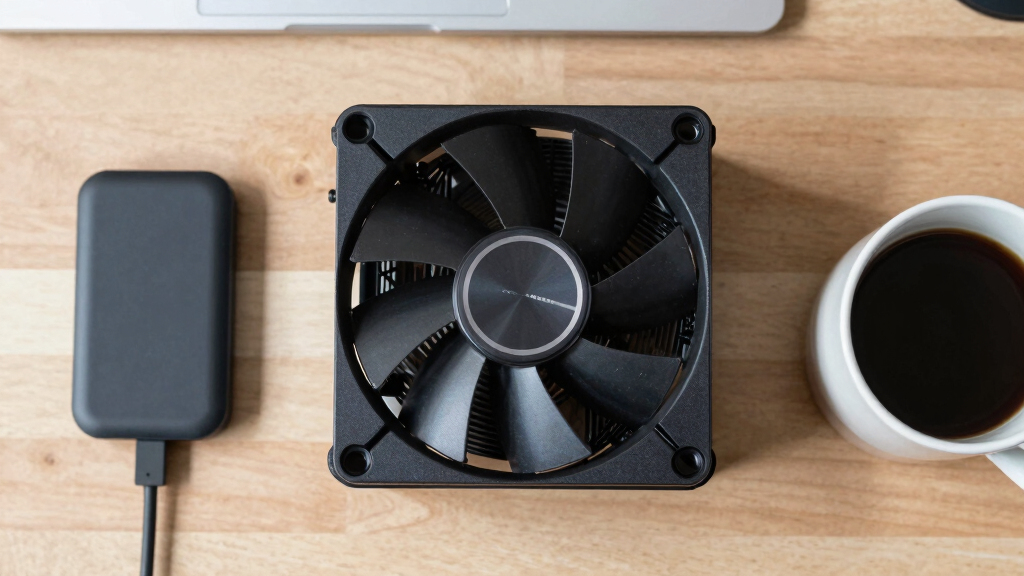
In 2026, the leading case fans for quiet, effective cooling are larger models like 140mm fans operating at lower RPMs, which significantly reduce noise while maintaining optimal airflow, according to recent expert reviews. Proper airflow setup, emphasizing big, slow-moving fans, is critical for high-performance AI workstations seeking both silence and thermal efficiency.
Recent testing and expert consensus highlight that larger fans, such as 140mm models, moving air at lower RPMs, offer the best balance of noise reduction and cooling performance. The Noctua NF-A14 and Arctic P14 PWM PST are among the top picks for airflow fans, delivering high airflow at minimal noise levels. For static-pressure needs, particularly on radiators or filters, the Arctic P12 Pro and Noctua NF-F12 are recommended for their pressure-optimized blades and quiet operation.
Choosing the right fan type—airflow fans for case intake/exhaust and static-pressure fans for radiators—is essential. The general principle: bigger, slower fans generate less noise for the same airflow, making them ideal for sustained high loads typical in AI workstations. Proper fan tuning, such as low fan curves, further enhances silence without sacrificing thermal performance.
Best quiet case fans
+ the airflow that works.
The best fan won’t help if it’s pointed the wrong way. The whole recipe: big fans, running slowly, in a clean front-to-back path, with slightly more intake than exhaust. Build a config in Part 2 and watch the pressure balance respond.
Why Optimized Quiet Fans and Airflow Matter in 2026
For high-performance AI and workstation setups, effective cooling is crucial to prevent thermal throttling and hardware failure. However, noise can be a significant distraction, especially in office or shared environments. Using larger, slower fans reduces noise substantially while maintaining necessary airflow, enhancing user comfort and productivity. Proper airflow configuration ensures that cooling is efficient and quiet, which is vital as workloads become more demanding and hardware more powerful.
As an affiliate, we earn on qualifying purchases.
Current Trends in PC Cooling for Workstations
In recent years, the focus shifted from small, high-RPM fans to larger, low-RPM models that prioritize noise reduction. Experts recommend a 'big and slow' approach, supported by testing that shows 140mm fans at around 800 RPM can move equivalent air to smaller fans at higher speeds but with significantly less noise. The rise of AI workloads and high-power GPUs has increased the importance of tailored airflow setups, especially in custom-built high-performance rigs.
Leading brands like Noctua, Arctic, and be quiet! continue to refine their fan designs, emphasizing durability, low noise, and high airflow. The trend toward silent operation aligns with broader demands for quieter work environments without compromising thermal performance.
"Big, slow-moving fans are the key to quiet, effective cooling in high-performance setups. Moving more air at lower RPMs dramatically cuts noise without sacrificing thermal performance."
— Thorsten Meyer, expert in PC cooling
Uncertainties in Long-Term Fan Durability and Performance
While current testing confirms the performance and noise levels of the recommended fans, long-term durability, especially under continuous high loads typical in AI workstations, remains to be fully validated. Variations in manufacturing quality and operational conditions could influence longevity and consistent performance over years of use. Additionally, new fan models and technologies are expected to emerge later in 2026, which may alter current recommendations.
Next Steps for Optimizing Quiet AI Workstations
Manufacturers are expected to release updated fan models with improved bearings and quieter operation later this year. Users should monitor these developments and consider testing new options as they become available. Additionally, further refinement of airflow configurations—such as custom fan curves and case modifications—will help maximize cooling efficiency and silence. Ongoing reviews and real-world testing will inform best practices throughout 2026.
Key Questions
How do I choose the right size fan for my case?
Check your case specifications for supported fan sizes—most modern cases support 120mm and 140mm fans. Larger fans generally move more air at lower RPMs, providing quieter operation. For optimal results, prefer 140mm fans if your case supports them, and ensure the airflow setup matches your cooling needs.
Can I replace my existing fans with these recommendations?
Yes, most standard case fans are compatible if they match the supported sizes and connector types. Verify your case’s fan mounting points and power connectors before purchasing. Upgrading to larger, quieter fans can significantly improve noise levels and thermal performance.
What fan curves should I set for quiet operation?
Set your fans to operate at low RPMs at idle or light loads, gradually increasing speed under higher loads. Using fan control software or BIOS settings to create a flat, low fan curve helps maintain silence while providing adequate cooling during intensive workloads.
Are static-pressure fans necessary for radiators?
Yes, static-pressure fans are designed to push air through dense fin stacks of radiators or filters. They are essential for effective cooling in liquid cooling setups and behind restrictive dust filters, ensuring optimal heat transfer with minimal noise.
Source: ThorstenMeyerAI.com
Fall Picks
fall essentials
As an affiliate, we earn on qualifying purchases.